
Introduction
When you’re making beats in a DAW, the drum machine you pick shapes everything—workflow, sound palette, how fast you turn an idea into a finished track. The plugin landscape has exploded over the last decade. These days you’ve got everything from painstaking analog circuit emulations to AI-driven sample explorers and hybrid synthesizers that don’t fit any clean category.
This guide breaks down the best drum machine plugins for beat production across seven tools. Whether you need classic 909 thump, a deep sample workstation, or something that helps you unearth sounds from your own library, I’ve put real hours into each of these. This isn’t a theoretical list. It’s a practical look at what each plugin actually does, where it stumbles, and who it’s for. By the end, you’ll have a clear sense of which best drum machine plugins match your workflow and budget.
Why Use a Drum Machine Plugin Instead of a Hardware Unit?
This is the first real fork in the road when you’re building a beat production setup. Hardware drum machines feel great, look cool on a desk, and give you hands-on control. But software drum machines solve some real problems hardware can’t touch.
Cost is the biggest one. A decent hardware drum machine like a TR-8S or Digitakt runs $500 to $900 or more. For that same money, you can pick up several top-tier plugins and still have cash left for sample packs. Software also gives you near-infinite sound variation. With hardware, you’re stuck with its internal engine. With plugins, you can load any sample, tweak any synthesis parameter, and chain effects in ways that would need a rack of outboard gear. If you want to bridge the gap between software and tactile control, a MIDI drum pad controller is worth thinking about for hands-on beat programming.
Integration matters too. A drum machine plugin lives inside your DAW. Your patterns, sounds, and automation are all right there in the project file. No re-recording, no sync headaches, no manual patch recall. The tradeoff is losing some of that hands-on immediacy. You also add CPU load. Heavy plugins like Roland Cloud’s TR-909 can eat a surprising amount of processing power, especially with multiple instances running. And there’s something about turning real knobs that software can’t quite replicate, even with a mapped MIDI controller.
My take is pretty straightforward: if you already have a solid computer and DAW, plugins give you more power and flexibility per dollar. Hardware makes more sense for live performance or if you just hate staring at a screen. For most producers in 2024, the smart play is a software setup with one good MIDI controller for hands-on control. You get the best of both worlds.
What to Look for in a Drum Machine Plugin
Before we get into individual reviews, it helps to know what separates a great drum machine plugin from a frustrating one. These are the criteria I used to evaluate every tool on this list.
Sound Engine: Is the plugin sample-based, synthesis-based, or hybrid? Sample-based plugins like Battery 4 give you endless variety but require you to curate your own sounds. Synthesis-based plugins like DrumComputer let you create sounds from scratch, which is great for originality but can be slower to dial in. Hybrid tools like the Roland Cloud emulations give you the best of both: authentic sampled circuits with modeling and effects on top.
Sequencer Features: The sequencer is the heart of any drum machine. Does it offer classic step programming? X0X-style grid? Real-time recording? Pattern chaining? Song mode? If you want to build full tracks inside the plugin, pattern and song modes are essential. If you just trigger from your DAW’s timeline, a simpler step sequencer may suffice.
Effects and Sound Shaping: Built-in effects can save you from buying extra plugins later. Look for per-pad compression, EQ, reverb, delay, and distortion. Some plugins, like Battery 4, have world-class effects built in. Others, like XO, are more focused on sample organization and lean on your DAW for processing.
Preset Quality and Library Size: A big library doesn’t help if the presets are poorly made. Pay attention to the quality of factory kits. A good drum machine plugin should give you at least a few usable kits right out of the box, not just raw samples you need to process yourself.
Routing and Flexibility: Can you route individual pads to separate mixer channels in your DAW? Can you layer sounds? Is there a mixer built into the plugin with independent channel strip controls? For serious production this matters a lot. You want to process each drum sound independently, not just as a stereo mix.
NKS and Controller Support: If you use a Native Instruments keyboard or Maschine, NKS support is a big plus. You get pre-mapped control, preset browsing, and visual feedback from the hardware. Even without NKS, good MIDI learn functionality matters for hands-on control.
Keep these in mind as we go through each plugin. They’re why one tool might be perfect for one producer and frustrating for another.
1. XO by XLN Audio — The Beat Discovery Tool
XO isn’t a traditional drum machine. No step sequencer, no factory kit library. Instead, it’s a sample browser and pattern generator that maps all your existing drum samples onto a 2D grid based on sonic similarity. Load a folder of your kicks, snares, and hats, and XO groups them intelligently. You pick sounds from different clusters and build a kit in seconds.
The real strength is the pattern engine. Select a sound, and the plugin generates a pattern based on that sound using its internal AI. It’s not random; the patterns actually feel musical and varied. You can tweak them, merge them, or just use them as a starting point.
The biggest win here is discovery. If you’ve accumulated thousands of drum samples over the years, XO will help you find sounds you forgot you had. It’s great for getting out of creative ruts and finding fresh combinations quickly.
But it has limits. XO isn’t a classic step sequencer. Programming a kick on every beat takes workarounds. The pattern generation is fine for inspiration, but if you want precise control over every note, you’ll want a more traditional drum machine. XO also has no built-in effects beyond basic volume and pan—you’ll need to process its outputs in your DAW.
Best for: Producers with large sample libraries who want to find new combinations and generate ideas fast. Not ideal if you want total step-by-step programming control or need a complete instrument with effects.
2. Roland Cloud TR-808 & TR-909 — The Gold Standards
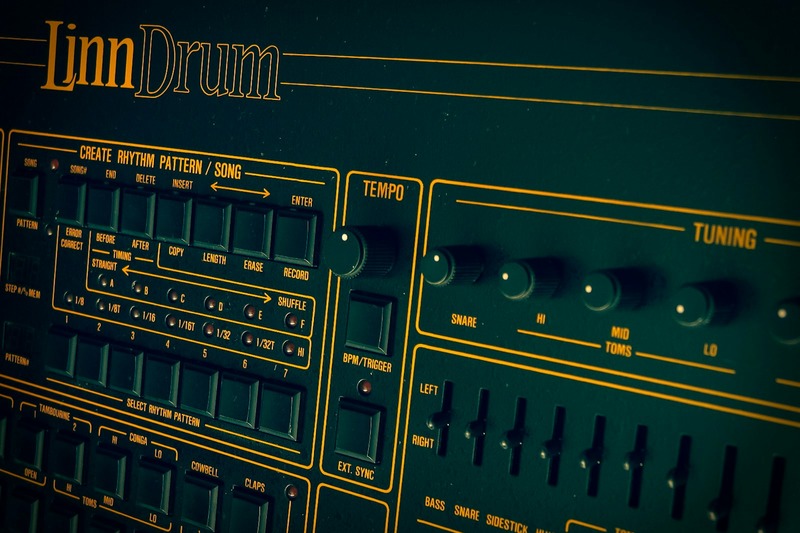
If you want the sound of the TR-808 and TR-909, these Roland Cloud plugins are the most authentic reproductions available. Roland modeled the circuit behavior, component tolerances, even the way the knobs interact. The result is as close as you can get without owning the original hardware, which costs many thousands of dollars.
These plugins include a X0X-style step sequencer that’s extremely faithful to the original. You get the trusty step buttons, individual instrument accent, and the ability to toggle shuffle and pattern length. If you know how to program a hardware 808 or 909, you’ll feel right at home.
The tradeoff is the subscription model. Roland Cloud requires a monthly or annual subscription to access these plugins. You can’t buy them outright. If you stop paying, you lose access. That’s a dealbreaker for some producers. Also, these plugins are surprisingly CPU-heavy. Running a single instance of the TR-808 is fine, but multiple instances for different parts of your track will need a capable processor.
There are free alternatives—classic 808 emulations that ship with many DAWs. They sound okay but lack the nuance and depth of the Roland Cloud versions. For a hobbyist or someone just starting, a free emulation is often enough. For a professional who needs that exact character, the Roland Cloud version is worth the fee.
Best for: Purists who need the exact sound of an 808 or 909 in their productions. Just be ready for the subscription cost and higher CPU usage.
3. Native Instruments Battery 4 — The Ultimate Sampler
Battery 4 has been a workhorse in beat production for over a decade, and for good reason. It’s a deep, flexible sample-based drum machine. You get a massive factory library covering everything from acoustic drums to electronic and world percussion. But the real power is in building your own kits from your own samples.
The interface is a grid of pads. Each pad can hold a sample or multi-sample. You can trigger, loop, slice, and map across the keyboard. The built-in effects are excellent—compressors, EQs, reverbs, delays, even convolution reverb with user-uploaded impulse responses. Routing is extensive. You can send each pad to its own channel in your DAW for independent processing.
The downside is Battery 4 has a steeper learning curve than some options. The interface can feel dense and intimidating when you first open it. It’s also less immediate for getting a beat going compared to a groove box-style plugin. It’s a tool for deep sound design and careful assembly, not quick sketches.
Battery 4 remains the gold standard for sample-based drum machines in a DAW. If you want total control over your drum sounds and the ability to build any kit imaginable, this is your tool.
Best for: Producers who want deep control over sample-based drum sounds and are willing to invest time learning the interface. Not for someone who wants instant gratification.
4. Ableton Drum Rack — The Hidden Power in Live
If you use Ableton Live, you already own one of the best drum machine plugins ever made. Drum Rack isn’t a separate plugin—it’s a built-in instrument rack designed specifically for drum sounds. Most producers never use it to its full potential.
The key is routing and macro mapping. You can load any instrument or effect into each pad. That means Simpler on one pad, Operator on another, Sampler on a third. Each pad can have its own chain of effects. You can use audio effects racks to process individual drums or groups. The possibilities are nearly endless.
For practical beat production, Drum Rack excels because it’s fully integrated into Live’s workflow. Drag any audio clip directly onto a pad. Use Live’s built-in groove pool on your patterns. Record automation for every parameter. And because it’s native, there’s zero CPU overhead compared to third-party plugins using the same sounds.
The limitation is that Drum Rack has no internal sequencer. You program your beats in Live’s MIDI clips. If you prefer a hardware-style step sequencer inside the instrument, you’ll need a third-party tool. But for most Live users, this isn’t a limitation—it’s an advantage because everything stays inside the DAW’s timeline.
If you own Ableton Live, start with Drum Rack before buying anything else. Many experienced producers never need another drum machine plugin.
Best for: All Ableton Live users, especially those who want deep routing control and don’t want to spend extra money on a plugin.
5. uJAM Beatmaker Series — The Fast Track to Finished Beats
uJAM’s Beatmaker series is for when you need a good beat fast. These plugins are preset-driven. You choose a genre-specific virtual drummer (like Beatmaker COZY for lo-fi or VOID for heavy electronic), pick a pattern, and get a fully produced beat with variations, fills, and effects. You can adjust complexity, swing, and velocity with a few knobs.
The strength is speed. If you’re a songwriter, top-line writer, or just someone who needs a solid foundation without spending an hour programming drums, a uJAM Beatmaker is a lifesaver. The beats are genuinely good and sound polished out of the box. They sit well in a mix without much processing.
The tradeoff is control. You’re limited to the patterns and sounds provided. You can’t easily swap individual sounds or program your own patterns from scratch. These plugins are designed for inspiration and speed, not deep sound design. If you want to build a unique groove with custom sounds, a uJAM Beatmaker will feel restrictive.
These aren’t replacements for a full-featured drum machine. They’re tools for a specific task: getting a finished-sounding beat into your song as fast as possible. For that, they’re excellent.
Best for: Songwriters, top-line producers, and anyone who needs high-quality beats fast without deep programming.
6. Atlas 2 by Algonaut — The AI-Powered Organizer
Atlas 2 is the main competitor to XO in the AI-driven sample management space. It scans your sample library and groups similar sounds into clusters displayed on a circle. Click a cluster, and it plays a random sample from that group. The workflow feels faster than XO for building a kit—the clustering feels more intuitive to me. The sample quality detection is also good; it tends to prioritize your best-sounding samples.
Atlas 2 is primarily a sample browser. It doesn’t have the pattern generation engine that XO offers. You find your sounds in Atlas, then drag them out to your DAW’s drum rack or a sampler. That makes it more compatible with any workflow, but it also means you need another tool to sequence your beats. Some producers prefer this separation because it keeps sound selection and pattern programming in separate, focused tools.
The biggest difference from XO is that Atlas 2 focuses entirely on sample selection, not pattern creation. If you already have a preferred sequencer or drum machine plugin, Atlas 2 is a fantastic companion. For producers building a complete setup, a reliable audio interface for music production is a practical investment to ensure low-latency monitoring and clean signal flow.
Best for: Producers who want intelligent sample organization and quick kit building, but already have a sequencer they love.
7. Sugar Bytes DrumComputer — The Hybrid Sound Designer
DrumComputer is unlike anything else on this list. It’s a hybrid instrument combining synthesis and sample playback with a very unconventional step sequencer. The sequencer isn’t a grid—it’s a series of nodes and connections you can manipulate to create evolving, non-repeating patterns. This makes it ideal for sound design and generative music.
The sound engine is unique too. You get multiple synthesis modes including FM, subtractive, and wavetable. You can morph between sound types. The result is that DrumComputer can produce drum sounds no other plugin can touch. It excels at weird, glitchy, industrial, or cinematic percussion.
The tradeoff is that if you want a classic 808 kick or crisp snare, DrumComputer isn’t the tool for that. It can approximate those sounds, but it’s not designed for straightforward X0X-style beat production. The learning curve is also steep. The interface is unlike anything else, and it takes time to understand the sequencer’s logic.
DrumComputer is a specialty tool for producers who want to push boundaries. It’s not a daily driver for most genres, but if you need unique, unpredictable percussion, it’s worth every penny.
Best for: Sound designers and experimental producers who want non-standard drum sounds and generative patterns.
Side-by-Side Comparison
| Plugin | Best For | Sound Engine | Sequencer | Price (Approx) | Key Strength | Key Weakness |
|---|---|---|---|---|---|---|
| XO | Sample discovery & pattern generation | Sample-based | AI-generated patterns, no step sequencer | $129 | Finds new combinations fast | No manual step sequencing |
| Roland Cloud TR-808/909 | Authentic analog emulation | Modeled synthesis + samples | X0X step sequencer | Subscription $2.99/mo each | Most authentic sound | Subscription model, CPU heavy |
| Battery 4 | Deep sample-based production | Sample-based | No sequencer (DAW timeline) | $199 | Ultimate control & routing | Steep learning curve |
| Drum Rack (Live) | Native Ableton workflow | Any Live instrument or effect | No sequencer (MIDI clips) | Free with Live | Zero extra cost, deep routing | Requires Live knowledge |
| uJAM Beatmaker | Quick, polished beats | Sample-based with presets | Pattern presets with variations | $69 | Instant results | Limited customization |
| Atlas 2 | AI sample organization | Sample-based | No sequencer (drag to DAW) | $59 | Fast sample categorization | No pattern generation |
| DrumComputer | Sound design & generative patterns | Hybrid (synthesis + samples) | Node-based generative sequencer | $99 | Unique, unpredictable sounds | Unconventional workflow |
Common Mistakes When Choosing a Drum Machine Plugin
I’ve watched producers waste money and time on the wrong drum machine plugin. Here are the most common mistakes to avoid.
Buying for the library alone. A plugin with 10,000 samples is useless if the workflow makes you hate using it. The sound library matters, but the interface and sequencer are what you’ll interact with every day. Test the workflow before committing.
Ignoring CPU demands. Some plugins, especially the Roland Cloud emulations, are very CPU-hungry. Running three instances of a TR-909 with all effects on could bring your system to its knees. Always check system requirements and test with a demo if possible.
Overlooking built-in effects. You might buy a sample-based drum machine and then spend another $200 on compressors and reverbs to make it sound good. A plugin like Battery 4 has everything you need built in. Factor in the total cost of getting usable sounds, not just the plugin price.
Not considering integration with your existing gear. If you use Maschine, Battery 4 integrates perfectly with NKS. If you use Ableton, Drum Rack is free and powerful. Don’t buy a plugin that requires you to change your entire workflow.
Assuming more expensive is better. The uJAM Beatmaker series is cheap but perfect for its use case. Battery 4 is expensive but overkill if you only need simple beats. Price rarely correlates with how well a plugin fits your specific needs.
Final Thoughts: Which Drum Machine Plugin Should You Buy?
There’s no single best drum machine plugin. The right choice depends entirely on how you work and what you need.
If you want total control and you’re comfortable with a complex interface, Battery 4 is the most powerful option. If you want the most authentic classic drum machine sounds, the Roland Cloud TR-808 or TR-909 are unmatched, despite the subscription and CPU requirements. If you want to discover new sounds from your existing sample library, XO or Atlas 2 are both excellent—XO adds pattern generation on top. For instant, polished beats without the programming grind, a uJAM Beatmaker is the best value. And if you want to create sounds that no one else has, DrumComputer is the tool.
For most producers starting out, I recommend starting with your DAW’s built-in drum machine. For Ableton users, that’s Drum Rack. For Logic users, it’s Drum Machine Designer. Once you hit the limits of what your DAW gives you, then look at the dedicated plugins on this list. That way, you’re buying tools to solve specific problems, not just adding to a collection. When you’re ready to expand, a quality pair of studio monitor headphones can help you hear the subtle differences between these plugins and make more informed choices.
Whichever you choose, prioritize workflow. A plugin that fits how you naturally make music will get used far more than one with more features but a clunky interface. Spend time with the demos. Trust your ears. And don’t be afraid to start simple.