

Introduction
Your gear is the difference between a great set and a trainwreck. But if you’re hauling a laptop, controller, headphones, and a tangle of cables between gigs, the bag you carry it in matters just as much as the equipment itself. This article covers how to choose a DJ gear bag that actually protects your gear, speeds up your setup, and survives the daily grind of mobile DJing, studio hopping, or club gigs. Whether you’re a weekend warrior or a touring professional, the right bag saves you money on repairs and keeps you focused on the music instead of worrying about a broken fader or a bent headphone jack. Let’s break down what to look for’no hype, just practical stuff.
Why Your DJ Bag Matters More Than You Think
The logistical reality of gigging is brutal. You’re navigating narrow club staircases, getting caught in sudden rain, and cramming into crowded trains or Ubers. A bad bag doesn’t just look amateurish’it puts your gear at risk. I’ve seen headphone jacks snap because they got shoved into a pocket with no padding. Faders get bent from a laptop bag with zero corner protection. And I’ve wasted precious setup time digging through a bottomless duffel for a single USB cable. The bag you choose directly impacts your gear’s longevity and your reliability as a performer. This isn’t about looking cool. It’s about making sure your gear shows up ready to work.
The Two Main Bag Styles: Backpack vs. Rolling Case
Before you dive into pockets and padding, decide on the form factor that fits your workflow. There are essentially two main categories: backpacks and rolling cases. Each has serious tradeoffs.
A backpack is ideal if you value mobility. You can keep your hands free, take stairs without a second thought, and navigate tight club spaces. The downside is weight. A fully loaded backpack with a controller, laptop, headphones, and cables can easily hit 15 to 20 pounds. Carry that on one shoulder for an hour, and your back will remind you about it. Backpacks also limit size. You’re not fitting a full-sized mixer and turntable setup into a backpack. They work best for compact controllers like the DDJ-FLX6 or the Traktor S series. Traveling DJs who need to stay mobile might benefit from a dedicated DJ backpack designed for controllers to keep the weight balanced across both shoulders.
A rolling case shifts the weight to wheels, which is a real help if you’re hauling heavy gear across flat surfaces like parking lots, hotel lobbies, or convention centers. They typically offer more internal space and better protection because the shell is rigid. The catch is that wheels fail. A single loose cobblestone or a staircase turns your rolling case into a heavy box you have to carry. They’re also bulkier in tight spaces. For a full club setup with a mixer, two turntables, and a laptop, a rolling case is the standard. For a bedroom producer playing a small bar, it’s overkill.
There are hybrid options’backpacks with a detachable rolling handle or cases that convert between the two. These can be useful if your gigs constantly switch between stairs and open floors, but they often compromise on durability. Stick with one or the other until you know exactly what you need.
What Gear Are You Actually Carrying?
Start by pulling everything you bring to a gig out of your existing bag and putting it on your floor. You’ll probably find more than you think: a laptop, a controller or mixer, headphones, a USB cable, power bricks, a small stand, an SSD, backup cables, a pair of XLRs, maybe a mic or a tablet. Now measure the dimensions of your largest items, especially the controller and laptop.
The biggest mistake beginners make is buying a bag based on its external appearance without checking internal dimensions. A bag that looks like it fits a 15-inch laptop might have a sleeve that’s too narrow for a 15-inch MacBook Pro with a case. A controller that’s 18 inches wide won’t fit in a bag that says ’fits up to 16-inch’ controllers. Always check the product’s internal measurement specifications. Also, leave room for future upgrades. If you buy a bag that barely fits your current controller, you’ll be buying another bag in six months. Spend a little extra on a bag that can accommodate a slightly larger piece of gear or a second laptop.
Padding, Protection, and Drop Test Realities
Not all padding is created equal. A bag that markets itself as ’padded’ might be using thin foam sheets that offer zero shock absorption. You need to look for closed-cell foam or high-density EVA molded padding, especially on the corners and the bottom panel. These are the points that hit the ground first when you drop the bag or bang it against a wall.
Corner protection is critical. Many cheaper bags have foam that wraps around the top and sides but leaves the corners flat. If you drop a bag on its corner with a controller inside, the force transfers directly to the gear. Look for bags with raised corner bumpers or rumble guards, which add a small air gap that absorbs impact.
Waterproofing is another layer you can’t ignore. A light drizzle isn’t a problem, but a sudden downpour or a spilled drink can destroy electronics. Check if the bag has an IP rating (like IPX4 or IPX5), but don’t rely solely on marketing. A simple rain cover for your DJ bag is often more reliable than a coating that wears off. Check review photos of bags that have been in use for a year or more. You’ll see where foam has compressed, zippers have started to pull, and corners have been scuffed. That’s the real-world quality test.
Storage and Organization: Cables, Drives, and Small Items
Setup time is real. If you’re digging through a messy pocket for a USB drive for five minutes before a set, you look unprofessional and you’ve wasted time you could have spent soundchecking. A well-designed bag should make you faster.
Look for the following in a bag’s organization system:
- Zippered mesh pockets for small items like USBs, SD cards, and adapters. Mesh lets you see through so you aren’t guessing what’s inside.
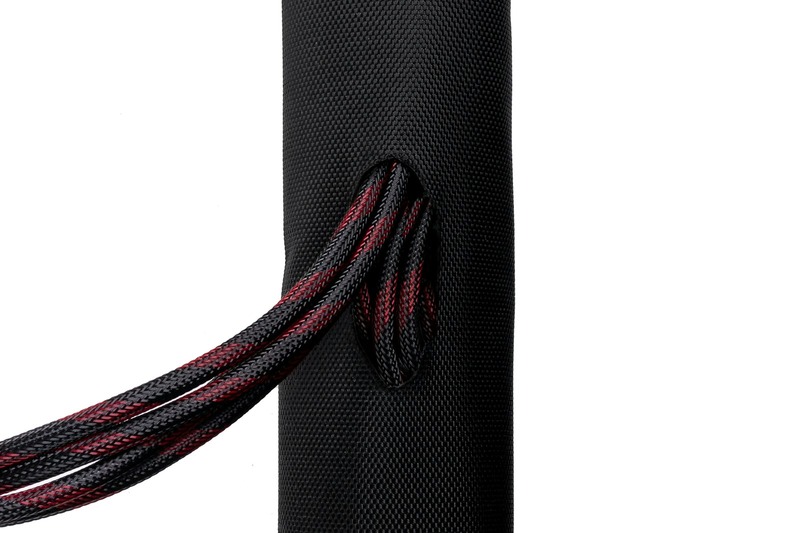
- Internal cable straps or elastic loops that hold your power brick and cables securely in place. Loose cables become a tangled mess and put stress on connectors.
- A dedicated laptop compartment that sits on a suspended floor. This protects the laptop from impact if the bag is dropped on its bottom.
- A padded headphone compartment that shapes around the headphones. Throwing headphones loose in a main compartment is a great way to bend the headband or snap the jack.
Compare minimal designs (just a main compartment and a tiny front pocket) vs max storage designs (multiple zippered sections, side pockets for water bottles, external SSD pouch). For a mobile DJ who carries a small controller and a laptop, a minimal bag is fine. For someone hauling a 4-channel mixer, two CDJs, and a laptop, organization is non-negotiable. Bags with built-in cable management can save you frustration before every set.
Size and Weight Limits: Don’t Overpack Your Bag
Every bag has a practical carry weight limit, even if it’s not printed on the tag. For backpacks, a comfortable load is 15 to 20 pounds. Beyond that, you’re putting serious strain on your shoulders and lower back. For rolling cases, the limit is higher’around 40 pounds’but only if the wheels and handle are built to handle it. Cheaper rolling cases often have telescopic handles that bend under heavy loads or wheels that seize up.
Airline restrictions are a factor if you fly. Most domestic airlines accept a backpack that fits under the seat (roughly 18 x 14 x 8 inches). Rolling cases are often too large for carry-on and must be checked, which defeats the purpose of keeping gear secure. Measure your bag’s depth and width if you’re a traveling DJ. A bag that’s too big for overhead bins is a liability.
Also, consider how full the bag gets. When you cram gear beyond the bag’s designed depth, you put stress on zippers and seams. Overstuffed zippers are the number one failure point on luggage. A bag should close fully without forcing it. If you have to sit on it to zip it up, you’re exceeding its capacity.
Durability and Build Quality: What to Check Before Buying
Durability isn’t about a brand name. It’s about materials and construction. Look for bags made with ballistic nylon (usually 840D or 1680D denier) or heavy-duty polyester. These fabrics resist tearing and abrasion far better than budget polyester. Nylon is generally stronger and more water-resistant than polyester, but it costs more.
Zippers are the most common failure point. You want YKK zippers, preferably with large teeth and a rubber-coated pull. Avoid cheap metallic zippers that get stuck or break when a small piece of debris gets in the teeth. Stitching should be double-stitched or better on stress points: the handles, the shoulder strap attachment points, and the zipper track. If the stitching is single-layer there, the bag will fail prematurely.
Reinforced handles matter. A handle that’s just a loop of nylon webbing sewn into the fabric will rip out under heavy load. Look for handles that are bolted or riveted through the bag’s frame or padded with rubberized grip. The shoulder strap clips should be heavy-duty plastic or metal. Many cheap bags use plastic clips that snap when the bag is lifted from one handle with the gear inside.
Common Mistakes When Choosing a DJ Gear Bag
Here are the four most common mistakes I see, along with how to avoid them.
1. Buying too small for future gear. You upgrade your controller two years later, and now your bag doesn’t fit. Solution: buy a bag that fits your current gear plus one size up. A bag that’s slightly oversized is fine; one that’s cramped will fail.
2. Ignoring waterproofing. A single unexpected downpour can ruin a gig and wreck your electronics. A bag that gets soggy or lets water pool in the zipper track is a risk. Look for a bag with at least a rain cover or a sealed zipper design.
3. Choosing style over function. A sleek bag with no padding and minimal pockets might look great in the club, but it will ruin your gear. Prioritize protection and organization. Save the fashion statement for your clothes.
4. Not checking actual internal dimensions. Sellers often list ’fits 15-inch laptop’ when the sleeve is barely 14.5 inches deep. Measure your longest gear, then check the bag’s internal dimensions. Measure the depth of the main compartment, not just the height and width. A controller that’s too thick won’t close.
Budget vs. Premium: What Do You Actually Get?
Let’s talk about the price ranges and what they realistically offer.
Under $50: These bags are decent for occasional use’say, a house party here and there. They typically use thin foam, basic polyester, and standard zippers. They will not survive daily travel or frequent gigging. They’re fine for a backup or a beginner just starting out, but expect to replace them within six months to a year.
$50 to $120: This is the sweet spot for most mobile DJs. You get thicker foam, better zippers (often YKK), decent water resistance, and more organization pockets. These bags can handle weekly gigs for a couple of years. They are where you get real value for the money.
$120 and above: At this level, you’re paying for ballistic nylon or top-grade materials, molded EVA padding, reinforced handles, and high-quality metal hardware. Bags in this range can survive years of daily touring and airline travel. The tradeoff is that you hit diminishing returns: the extra cost goes to premium branding or specialized features like modular inserts or laptop cooling vents.
Best-for scenarios: if you only gig twice a month in small venues, a mid-range bag is ample. If you’re on the road five days a week, the premium bag is cheaper than replacing gear from damage.
Top DJ Bags on the Market Right Now (Quick Picks)
These are current strong options organized by use case. Prices fluctuate, so check current listings.
- Best backpack for controllers: The Djeco Backpack Pro is built for controllers up to 18 inches, with high-density foam padding, a suspended laptop compartment, and multiple organization pockets. Downside: it’s on the heavier side for a backpack.
- Best rolling case for heavy gear: The Odyssey Kilo is a solid pick for mobile DJs hauling a mixer and media player setup. It has reinforced metal corners and a telescopic handle that holds up well. Downside: it’s large and heavy even empty.
- Best budget option: The Amazon Basics DJ Bag is surprisingly adequate for beginners. It has decent padding and a basic cable pocket. Downside: the zipper feels cheap and the foam compresses after about a year.
- Best for small setups: The MAGMA UBM-XXK is popular for compact controllers and a laptop. It has a padded headphone compartment and a removable shoulder strap. Downside: limited storage for cables and small items.
How to Maintain Your DJ Bag for Longevity
A good bag will last longer if you take care of it. Clean zippers regularly with a dry brush to remove dust and debris that can jam the teeth. If a zipper starts to stick, a drop of silicone lubricant (not oil) on the track buys you another year. For small tears in fabric, use a patch of heavy-duty gear tape on the inside, or get a sewing kit and stitch over the tear to stop it from growing.
When you’re not using the bag, store it empty and slightly open. Don’t store it compressed under a pile of gear. This lets the foam relax and avoids permanent dents in padding. Avoid leaving it in direct sunlight for long periods, especially if the bag has a rubberized coating’UV breaks down gaskets and reflective coatings.
Final Thoughts: Pick a Bag That Lets You Focus on the Music
Choosing the right DJ bag comes down to matching the style to your actual workflow: backpack for mobility, rolling case for heavy gear. Prioritize protection with real padding and corner reinforcement. Don’t ignore storage organization or check the internal dimensions. Understand the price bands and don’t overpay for a brand name if a mid-range bag meets your needs. The right bag reduces stress before every set, protects your investment, and makes setup faster. Check current deals or user reviews before you buy’a few minutes of research now saves months of regret later.