
Introduction
A portable DJ setup for travel isn’t just about downsizing your gear. It’s about making sure every piece of equipment earns its place in your bag, performs under pressure, and doesn’t fall apart after a few flights. Whether you’re a wedding DJ flying between cities, a club DJ doing guest sets abroad, or a producer who plays the occasional gig, your portable setup needs to balance functionality with weight. A portable DJ setup for travel is the difference between arriving ready to play and spending your soundcheck untangling cables and troubleshooting drivers. This guide covers the gear choices that actually work on the road, based on real use and common trade-offs.
What to Consider Before Buying a Portable DJ Setup
Before you buy anything, think about how you actually travel. The biggest mistake is buying gear that looks small on paper but doesn’t fit your bag or your workflow.
Weight and size come first. A controller that weighs 5 pounds might be fine for a road trip but annoying for a flight with connections. Check your airline’s carry-on dimensions before you buy. Most budget airlines allow around 22x14x9 inches. Some controllers barely fit. Measure twice.
Battery life is a dealbreaker. If you play outdoor gigs or club booths with awkward power outlets, battery-powered gear saves you. But batteries add weight and cost. Know whether you’re willing to pay for them. Travelers who need a self-contained option might want to explore lightweight battery-powered controllers.
Build quality matters more for travel. Plastic faders and flimsy USB ports won’t survive being thrown into overhead bins. Look for metal faceplates, reinforced connectors, and replaceable crossfaders. The cheaper option often fails at the worst time.
Your laptop determines everything. A powerful but heavy laptop defeats the purpose of a small controller. If your software requires a gaming laptop, reconsider your controller choice or switch to a tablet-based solution. There’s no point carrying 15 pounds of controller that needs a 6-pound laptop to run.
Best Portable DJ Controllers for Travel
Not all compact controllers are built the same. Here’s a breakdown of the ones that actually work on the road, with their real-world pros and cons.
Pioneer DJ DDJ-200
This is the lightest serious controller at under 2 pounds. It’s USB powered and fits in most laptop bags. But it has no audio interface built-in, which means you need an adapter to connect speakers or headphones separately. It works best with a tablet and Bluetooth speakers for hotel practice or small gatherings. Not ideal for gigs where you need reliable monitoring.
Best for: Practice, travel light, beginners. Skip it if: you need a reliable gig setup.
Numark DJ2GO2 Touch
Slightly more functional than the DDJ-200. It has touch capacitive strips instead of jog wheels, which take some adjustment. Still USB powered and under 2.5 pounds. The audio interface is built-in, so you can plug headphones and speakers directly. The plastic build feels a bit fragile. Treat it carefully in transit.
Best for: Tight budgets, ultra-portable practice. Skip it if: you rely on jog wheel feel or need durability.
Roland DJ-202
Heavier at around 4 pounds but significantly more durable. Metal faceplate, proper jog wheels, and built-in audio interface. The built-in effects are useful. It’s USB powered which means no battery worries. Flight case availability is decent. The size can be tight for some carry-on bags.
Best for: Gigging DJs who want a compact but robust controller. Skip it if: weight is your absolute priority.
Denon DJ Prime Go
This is the gold standard for battery-powered standalone controllers. It runs on internal battery for about 4 hours, works without a laptop, and has a built-in audio interface. It’s heavier at around 5.5 pounds but replaces a laptop entirely for many sets. The screen is responsive but small in bright sunlight.
Best for: DJs who want a laptop-free setup for real gigs. Skip it if: you prefer software-based libraries or need the lightest possible carry.
Travel-Friendly DJ Headphones: What to Look For
Good headphones are non-negotiable when you’re playing unfamiliar systems. You can’t trust the booth monitor in every club.
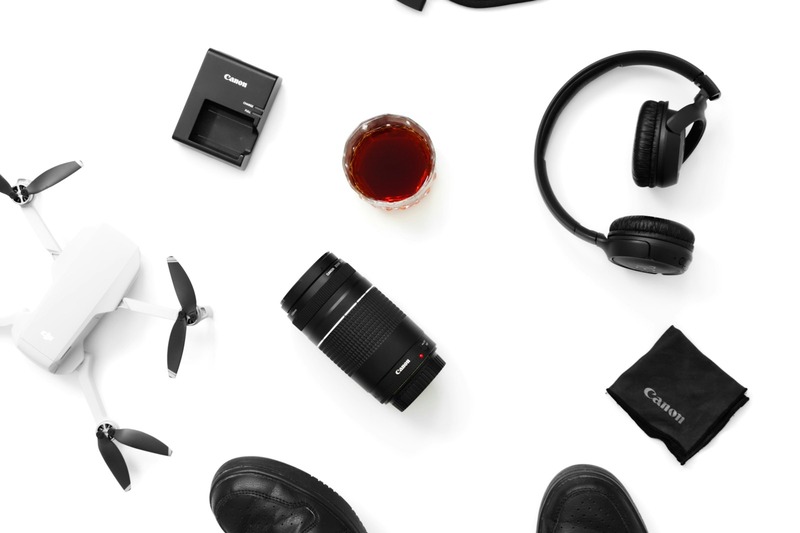
Foldability saves space. Fold-flat designs like Sennheiser HD 25 pack small and survive drops. Avoid bulky over-ear models unless they come with a proper hard case that fits in your bag. A good pair of portable DJ headphones is worth the investment.
Carrying case is not optional. Throw unprotected headphones in a bag once and you’ll hear the rattle of broken plastic hinges. Get a case that fits your bag dimensions.
Sound isolation matters in loud environments. Closed-back headphones with tight clamping force block crowd noise. Open-back models let sound bleed and don’t work for cueing in loud booths.
Audio-Technica ATH-M50xBT2 fold flat, have great isolation, and wireless capability for practice. Battery lasts 50 hours. They’re slightly bulky but fit in most laptop bags. The cable is detachable, which is useful when you snap one.
Sennheiser HD 25 are the club standard for a reason. They’re lightweight, foldable, and repairable. Parts are available everywhere. The sound is detailed and the isolation is excellent. They’re not comfortable for long flights because of the tight clamp.
Sony MDR-7506 are the studio standard. They’re affordable, sound accurate, and fold flat. The cable is fixed and somewhat fragile. They’re less durable than Sennheisers but cheaper to replace.
Portable Speakers for Small Gigs or Hotel Room Practice
If you’re playing hotel rooms, small bars, or private events, you need speakers that are loud enough but still checkable. Most venue systems are fine, but your own speaker gives you a reliable reference.
JBL PartyBox 100 is a common choice. It’s loud enough for a small lounge, has battery power, and connects via Bluetooth or aux. It’s heavy at around 15 pounds. Not for flying, but fine for car travel. Multiple units can link for bigger sound.
Bose S1 Pro is lighter at 15 pounds and has a handle that makes it easier to carry. It sounds clear and works as a monitor or small PA. Battery lasts 11 hours. It costs more but sounds better than most Bluetooth speakers. The inputs are limited, so check your connectivity before buying.
For serious portability, consider a battery-powered DJ speaker system. Cheaper options exist but sound boxy and lack headroom.
Laptops, Tablets, and DJ Software on the Road
Your computer is the heart of most portable setups. Cheap out here and your controller is a paperweight.
Lightweight laptops are worth the premium. MacBook Air M-series is the standard for a reason. Light, powerful, long battery, and runs Serato or Rekordbox without breaking a sweat. Dell XPS 13 is the Windows alternative. Avoid gaming laptops; they’re too heavy and drain battery fast.
Tablets are viable now. iPads with Algoriddim Djay or Serato DJ Lite work surprisingly well for travel practice and small gigs. The touchscreen is less precise than jog wheels, but you can map MIDI controllers. File management on tablets is annoying. Bring a USB drive with your library as a backup.
Cache your library offline. Don’t rely on hotel Wi-Fi to stream tracks. Have your entire setlist on the internal drive. SSDs are small and fast; carry one as a backup with a copy of your library.
Touchscreen vs real controls: For gigs, real knobs and faders win. Touchscreens are fine for browsing but terrible for quick adjustments when you’re reading a crowd. Don’t go touchscreen-only unless you’re doing background music sets.
Cables, Power Banks, and Essential Accessories
Every traveling DJ has a story about a failed set because of a missing cable or dead battery. Don’t be that person.
USB-C hub is essential if your laptop only has USB-C ports. Get one with USB-A, HDMI, and headphone jack. Anker makes reliable ones. Don’t buy the cheapest option; they die quickly.
Lightning-to-USB adapter if you use an iPad. The official Apple one works. Third-party ones sometimes fail in the middle of a set.
Power bank for your laptop. A laptop’s internal battery might not last a whole gig if you’re also powering a controller. Anker PowerCore or similar 20,000mAh+ bank can give you another 2-3 hours. Charge it before you fly. Frequent users may benefit from a high-capacity portable power bank for DJ laptop.
Cable organizer pouch. Throwing cables loose in a bag guarantees tangles and broken connectors. Get a small zippered pouch for your RCA, TRS, and USB cables. Label both ends with colored tape so you know what’s what in low light.
Backup cables are not optional. RCA cables break. USB cables fail. Carry one spare of each. A broken cable costs you a gig. Spares weigh nothing.
Best DJ Bags and Cases for Air Travel
Your bag is the difference between arriving with working gear and arriving with broken gear. Invest here.
Hard cases (Pelican-style) are the safest but heavy and bulky. Only for checked baggage or car travel. If you check gear, use a hard case with foam padding. Make sure it fits within airline checked baggage dimensions or you’ll pay oversize fees.
Gig bags with padding are the sweet spot for carry-on. Magma and Odyssey make bags that fit most controllers snugly. Look for thick shoulder strap padding, reinforced handles, and a pocket for cables and headphones. Water resistance is a plus; zippers fail when soaked.
Backpack-style bags are great for one-bag travel. Some have built-in laptop sleeves and controller compartments. The Odyssey FZ10 is a popular choice for smaller controllers. Test the padding yourself if possible; some look tough but offer minimal protection.
Wheels are a luxury. If your setup is over 10 pounds including laptop, wheels save your shoulders in airports. But wheeled bags are harder to fit in crowded overhead bins. Roller bags are best for larger controllers like the Denon DJ Prime Go. A reliable DJ controller carry-on case is worth the investment for air travel.
How to Protect Your Gear in Humidity, Heat, and Cold
Environmental damage is one of the most overlooked risks for traveling DJs. A few simple precautions save you expensive repairs.
Silica gel packs are cheap and effective. Throw a few in your bag, especially if you’re traveling to tropical or humid climates. They absorb moisture that can corrode contacts and faders. Replace them when they change color.
Condensation is a real problem. Going from a cold airplane cabin to a hot humid airport causes condensation inside your gear. Let your bag sit unopened for 30 minutes before you power anything on. Otherwise, moisture shorts out circuits.
Heat kills batteries and screens. Never leave gear in a parked car, even in the shade. Dashboard temperatures can exceed 140°F. Same goes for checked baggage holds in hot climates. If you must check gear, use a reflective cover or insulated bag.
Cold affects screen responsiveness. Capacitive touchscreens on controllers or laptops can become sluggish below freezing. If you’re playing outdoor winter gigs, keep your gear close to your body until setup. Warm gear performs better.
Portable DJ Setup Comparisons: All-in-One vs Modular
This is the central decision for any traveling DJ. Both approaches work, but they serve different travel styles.
All-in-one setups like the Denon DJ Prime Go or Pioneer DJ XDJ-RR combine the controller, display, and often a battery into one unit. They don’t need a laptop or tablet. Pros: fewer connection points, faster setup, no software crashes. Cons: heavier, more expensive, harder to upgrade individual components.
Modular setups use a small controller paired with a laptop or tablet. Pros: lighter overall, cheaper to replace a broken laptop vs a whole controller, flexible software options. Cons: more cables, longer setup, dependency on laptop battery and performance.
For flight travel: modular wins. You can separate controller and laptop into different bags if needed. If your laptop fails, you still have the controller as a backup for another laptop. All-in-ones become dead weight if the screen or battery fails.
For driving gigs: all-in-one is often better. Fewer things to set up in a dark booth, and you can leave the laptop in the car for backup. But make sure your all-in-one has a proper carrying case because it takes more abuse in transit.
Common Mistakes Traveling DJs Make (And How to Avoid Them)
These are the mistakes I’ve seen cost DJs gigs, money, and sanity. Learn from someone else’s failures.
Not checking airline size limits. You assume your bag fits carry-on but it’s an inch too long. Now you’re gate-checking a controller in a soft bag. Measure your bag with gear inside and compare to your airline’s website. Don’t trust the bag manufacturer’s specs; they often measure empty.
Forgetting international power adapters. Your power brick won’t work in Europe or Asia without a simple adapter. Pack a universal travel adapter with USB ports. Also check voltage compatibility; some cheap adapters only handle 110V.
Relying on hotel Wi-Fi for streaming. Hotel Wi-Fi is unreliable, slow, and sometimes requires login pages that DJ software can’t handle. Download your entire library before you travel. Bring an offline backup on a USB drive or SD card.
Overpacking unnecessary gear. You don’t need three controllers, five headphones, and a full PA system for a one-hour set. Be ruthless. Every extra pound costs you energy and money. Ask yourself: “Will I actually use this at every gig?” If no, leave it home.
No backup music source. Your laptop crashes, your tablet dies, or your controller won’t connect. If you can’t play music from a backup, you’re done. Carry a spare USB drive with your library in DJ software format and a cheap backup controller or even just an auxiliary cable for a phone.
Final Gear Checklist for Your Portable DJ Setup
Before you leave for any gig, run through this list. Print it and keep it in your bag.
- DJ controller (with USB cable)
- Laptop or tablet with charged battery
- Power adapter for laptop/tablet
- Travel power adapter (if international)
- Headphones with cable and case
- Speaker(s) if needed
- USB cable (spare)
- RCA/TRS cables (spare set)
- USB-C hub or adapters
- Power bank (charged)
- USB drive with backup music library
- Silica gel packs (for humid climates)
- Cable organizer pouch
- Controller case or padded bag
Ready to Build Your Portable DJ Setup for Travel?
There’s no single perfect portable DJ setup. The right choice depends on how you travel, what you play, and what you’re willing to compromise on. Focus on durability and weight first, then features. A setup that survives a dozen flights and still plays clean is worth more than one that has every feature but falls apart at the airport. Start with the controller that fits your bag and your budget, build around it, and test everything before you hit the road. If you’re looking for current pricing and availability, check the gear mentioned here on Amazon to see what fits your budget and travel style. A quick look at portable DJ setup for travel can give you an idea of what’s available.