Introduction
Ask ten working DJs which software they prefer, and you’ll get ten different answers. But in professional settings, three platforms dominate the conversation: Serato DJ Pro, Pioneer DJ‘s Rekordbox, and Native Instruments’ Traktor Pro 3. I’ve spent years using all three across club gigs, festival sets, private events, and studio sessions. This Serato vs Rekordbox vs Traktor breakdown isn’t about declaring a winner—it’s about helping you match a platformto your specific gear, gig type, and workflow. The wrong choice leads to wasted money and frustrating setup issues. The right one makes your sets smoother and your preparation faster. Let’s look at what each platform actually delivers.
A Quick Look at the Contenders
Serato DJ Pro started as a DVS solution and grew into the club standard for stability and controller support. It’s the safe pick—simple, reliable, and widely supported by hardware from Pioneer, Rane, and Denon. If you want plug-and-play DVS or broad controller compatibility, Serato is your path of least resistance.
Rekordbox is Pioneer’s ecosystem. It’s essential if you play on CDJs in clubs or festivals because you need to export playlists to USB drives. Beyond that, it has evolved into a full performance suite with pro features, though at a higher price point.
Traktor Pro 3 comes from Native Instruments. It’s the creative powerhouse with deep effects, remix decks, and flexible routing. Traktor is ideal if you’re a producer who wants to perform live arrangements with stems and patterns. It costs less upfront but requires specific NI controllers for full functionality.
Hardware Compatibility & Controller Ecosystem
This is where most DJs make their first mistake. They buy a controller they like, then find out it locks them into a platform.
Serato
Serato supports a massive range of controllers from Pioneer, Rane, Denon, Numark, and Roland. Many hardware unlocks Serato DJ Pro without a separate license—check the Serato DJ Ready list before buying. If you want DVS, you’ll need the Serato Club Kit or a hardware unlock like the Rane Seventy-Two. The trade-off is flexibility: you can mix and match gear, but you pay for that freedom through license costs or premium hardware.
Rekordbox
Rekordbox works seamlessly with Pioneer gear—no surprises there. If you own a DDJ-800, DDJ-1000, or XDJ-XZ, Rekordbox unlocks automatically. Outside Pioneer, support is limited. Some Denon controllers work via HID mode, but it’s not as smooth. If you’re building a Pioneer-based rig, Rekordbox is the obvious choice. Just be aware that you’re locked into that ecosystem for optimal performance.
Traktor
Traktor works best with Native Instruments controllers: the S series (S2, S3, S4 Mk3), X1, F1, and D2. You can use some third-party controllers via MIDI mapping, but it’s manual and buggy. Traktor also supports HID mode with certain CDJs and turntables, but setup takes patience. For a fully integrated workstation, go with an NI controller. For broad hardware compatibility, look elsewhere.
Practical note: If you’re just starting, the Pioneer DDJ-SB3 is a solid Serato controller. For Rekordbox, the XDJ-RR gives you a standalone unit with USB export. Those looking for a polished all-in-one for Traktor may consider the S4 Mk3, which integrates deeply with the software.
The USB/CDJ Reality: Why Rekordbox Wins for Club Gigs
Here’s a situation I’ve seen too many times: a DJ shows up to a club with a laptop running Serato, only to find the venue doesn’t support HID mode or won’t let them plug into the mixer. Meanwhile, the headliner’s USB drive is already in the CDJ, and the show goes on without them.
If you play clubs, festivals, or any event with Pioneer CDJs, you need Rekordbox. It’s the only platform that exports properly formatted USB drives for stand-alone playback. You can prepare your tracks, cue points, beat grids, and playlists in Rekordbox, export to a USB, and walk up to any CDJ-2000 or 3000 and play immediately.
Serato and Traktor can control CDJs via HID mode, but this requires a laptop, a stable connection, and venue cooperation. In my experience, many club sound engineers don’t want to deal with laptop setups. The USB method is bulletproof.
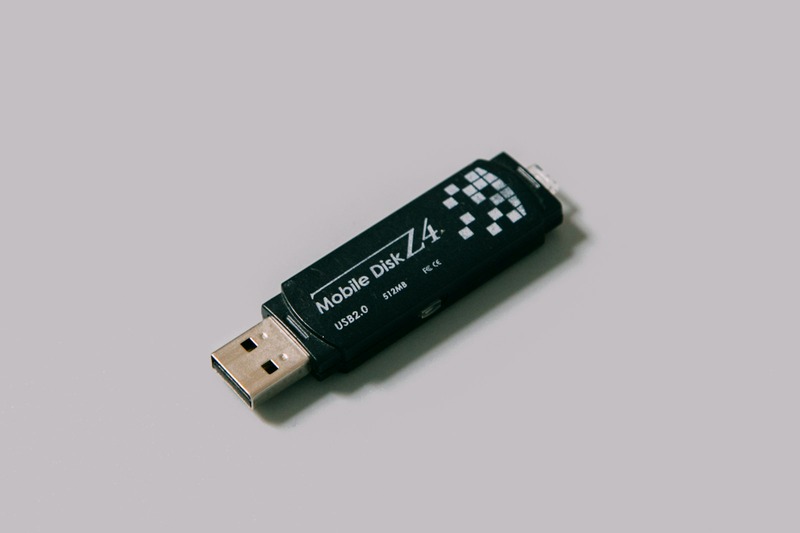
Traveling DJs who rely on USB drives for flexibility may want a reliable and fast USB drive to ensure quick load times and reduce the chance of read errors on older CDJ models.
Library Management & Track Preparation
Large library management separates good DJs from great ones. Here’s how each platform stacks up.
Rekordbox
Rekordbox has the deepest library tools. You get key detection (though it’s not always accurate), beat grid editing, memory cues, hot cues, and My Tags for custom metadata. Intelligent playlists can auto-filter by BPM, key, or genre. Cloud Sync keeps your library across devices, but it requires a subscription. If you manage thousands of tracks, Rekordbox’s hierarchy is a lifesaver.
Serato
Serato’s library is simpler but effective. You get eight hot cues per track, BPM analysis, and intelligent playlists based on tags. It handles large libraries well, but metadata editing is limited. No built-in key shift or track remixing—you’ll need third-party tools for that.
Traktor
Traktor’s library is basic. It does BPM and key analysis, but beat grids can struggle with complex tracks. Cue points are limited compared to Rekordbox. If you’re a beat-grid perfectionist, expect more manual work. The library is stable but lacks the polish of Rekordbox.
Real-world tip: Switching between Rekordbox and Serato is a pain. Use tools like Lexicon or Rekord Buddy to migrate playlists and cue points. Expect a few hours of cleanup regardless of the tool. I’ve done it twice—it’s worth the effort if you’re changing platforms.
Performance Features: Effects, Loops, and Remix Tools
This is where personal preference and genre matter most.
Serato
Serato’s effects are clean but limited. You get four insert effects (delay, reverb, echo, flanger) plus some flex effects in Serato Pro. No built-in sequencer or remix decks. For open-format DJs playing top 40, weddings, or hip-hop, this is plenty. You don’t need complex effects for blending pop songs.
Rekordbox
Rekordbox has stepped up its effects game. Pad FX let you trigger beat-synced delays and reverts. The sequencer can create simple loops or triggers. My favorite is the Beat Jump and Loop Roll features—great for building tension. For versatility across genres, Rekordbox is the most balanced.
Traktor
Traktor is the effects king. The Mixer FX include filters, reverb, delay, and flanger with full parameter control. Remix decks let you load loops and one-shots for live remixing. The Pattern Sequencer is fantastic for techno and house—you can build drum patterns or synth lines on the fly. If you produce your own tracks and want to perform them live, Traktor is unmatched.
Scenario example: For a deep techno set, I’d use Traktor with an X1 and F1 controller. For a wedding or corporate event, Serato on a DDJ-SX3 is simpler and more reliable. Choose based on your gigs, not your dreams.
Stability and Audio Latency: What You Can’t Afford to Lose
Nothing kills a set like audio dropouts or crashes. I’ve tested all three across Windows and Mac setups with various audio interfaces.
Serato is consistently the most stable. It handles low buffer sizes (128 samples or less) on both Mac and Windows with minimal issues. DVS performance is tight, and I’ve never had a crash during a set. If you want reliability above all else, Serato wins.
Rekordbox has improved dramatically in the last few years. Version 6.6 is largely stable, but earlier versions had notorious crash issues with certain hardware. On a modern MacBook Pro with the right driver versions, it’s reliable. On Windows with non-Pioneer interfaces, expect some tweaking.
Traktor is stable on Mac but finicky on Windows with certain audio interfaces. Buffer sizes need to be higher (256 samples or more) for consistent performance. DVS works well with the Z2 mixer or Audio 2 interface. My advice: if you’re on Windows, test Traktor with your specific hardware before committing.
Practical tip: Regardless of software, carry a backup USB with your library exported to Rekordbox format. If your laptop dies, you can plug into CDJs and finish the set. This has saved me twice. For those building a reliable mobile rig, a solid portable audio interface can help maintain consistent latency and sound quality across different setups.
Pricing, Subscriptions, and Hidden Costs
Here’s the financial reality over three years.
- Serato DJ Pro: $149/year subscription or $299 one-time license. DVS costs extra ($99 for the Club Kit). Hardware unlocks can reduce this cost, but not all controllers include the license.
- Rekordbox: $199/year for Core subscription or $429 one-time. Core+ adds performance features like the sequencer and cloud sync for $299/year or $729 one-time. If you want full functionality, you’re paying premium.
- Traktor Pro 3: $99 one-time. No subscription. DVS requires a compatible interface ($99 for the Audio 2) or a mixer. For budget-conscious DJs, this is a massive win.
Assume you’ll own a license for three years. Serato subscription costs $447. Rekordbox Core subscription costs $597. Traktor one-time costs $99 plus a potential $99 interface. If you’re a weekend warrior, Traktor saves you hundreds. If you’re playing clubs, Rekordbox’s cost is a business expense that pays for itself.
Hidden costs alert: Don’t forget USB drives, backup drives, and possibly a laptop upgrade if you’re running Rekordbox with the visual analysis heavy on CPU. Plan for $100-200 in accessories. DJs building a portable setup may also consider a durable external hard drive for backing up their track library.
Serato vs Rekordbox vs Traktor: Head-to-Head Comparison Table
table { width: 100%; border-collapse: collapse; margin: 20px 0; }
th, td { border: 1px solid #ddd; padding: 8px; text-align: left; }
th { background-color: #f4f4f4; }
| Criterion | Serato DJ Pro | Rekordbox | Traktor Pro 3 |
|---|---|---|---|
| OS Support | Mac & Windows | Mac & Windows | Mac & Windows |
| Hardware Support | Broad (Pioneer, Rane, Denon) | Pioneer ecosystem only | NI controllers + limited third-party |
| Club Readiness | Good (HID mode) but USB not supported | Excellent (USB export to CDJs) | Good (HID mode) but USB not supported |
| Library Management | Good (8 hot cues, intelligent playlists) | Excellent (My Tags, key detection, cloud sync) | Basic (limited cues, manual beat grids) |
| Effects & Performance | Clean but limited (4 FX, no sequencer) | Versatile (Pad FX, sequencer, Beat Jump) | Best for live remixing (Mixer FX, remix decks, pattern sequencer) |
| Stability | Best (rock solid on both OS) | Good (improved in v6, but past crashes) | Good on Mac, finicky on Windows |
| Price (3-Year) | $447 (subscription) or $299 one-time | $597 (Core subscription) or $429 one-time | $99 one-time + optional $99 interface |
| Best Use Case | Open format, weddings, DVS, broad controller support | Club/festival DJs using CDJs, large library management | Producer-DJs, live remixing, techno/electronic, budget-conscious |
Common Mistakes When Choosing a DJ Platform
I’ve seen DJs make these errors consistently. Avoid them.
- Choosing based on friends’ preferences without testing your gear. Your friend’s setup might be a DDJ-1000 with Rekordbox, but if you’re using a Numark controller, Serato might work better. Download the free trials and test with your actual hardware before buying anything.
- Ignoring club requirements. If you’re aiming for club gigs, you need Rekordbox for USB export. Don’t buy Serato or Traktor thinking you can make it work later. You’ll waste time and money chasing HID configurations that may not be allowed.
- Overspending on features you don’t use. A wedding DJ doesn’t need Traktor’s remix decks. A techno producer doesn’t need Serato’s eight hot cues for top 40. Match your software to your genre and gig type, not the most feature-rich option.
- Not trying the free trials. All three platforms offer free trials (Serato: 30 days, Rekordbox: 10 days for performance mode, Traktor: 30 days). Use them. A few hours of testing saves hundreds of dollars in mistaken purchases.
Which DJ Software Should You Choose?
Here’s my straightforward recommendation based on years of real-world use.
- Choose Serato if you want broad controller compatibility, stable DVS, and a clean workflow for open-format or wedding gigs. It’s the safe bet that works with almost everything.
- Choose Rekordbox if you play clubs or festivals with Pioneer CDJs, or if you need deep library management with cloud sync. It’s the industry standard for a reason—export to USB and walk away from the laptop.
- Choose Traktor if you’re a producer who wants creative performance tools, remix decks, and a one-time cost. It’s best for electronic music genres and live remixing, not for open-format or standard club work.
There’s no universal winner. Your choice depends on your gigs, gear, and budget. Start the free trial for your top candidate. Spend a week preparing a small set and playing it with your controller. If it feels natural, commit to the license.
Final Thoughts
Your software choice should align with your hardware, gig type, and budget—not with hype or what other DJs are using. All three platforms can deliver great sets if you learn them properly. Invest time in your chosen platform’s workflow: cue point strategy, effect timing, and library organization matter more than the brand name. If this breakdown helped you decide, consider picking up a quality controller or license from a trusted retailer. Play your first set with confidence, knowing you made the right choice for your needs.