
Introduction
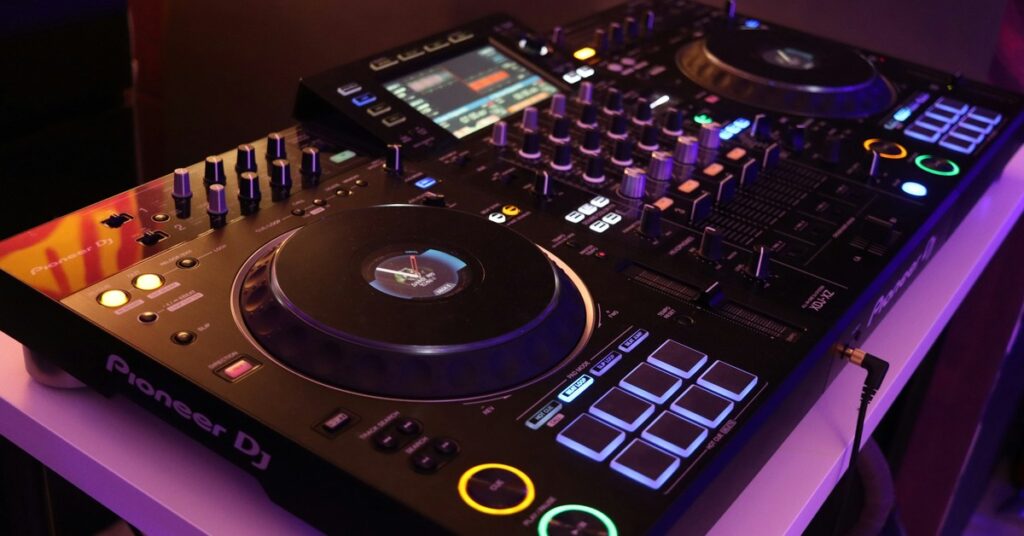
So you’re looking at all-in-one DJ systems and landed on the Pioneer XDJ-RR and the XDJ-RX3. They’re two of the most popular standalone units Pioneer makes, but they serve very different budgets and ambitions. The RR is the budget-friendly entry point. The RX3 is the current flagship, packed with features that edge closer to a full club setup.
This is for mobile DJs trying to keep their back happy without emptying their wallet. For bedroom producers ready to play out for real. For anyone wondering if skipping the mid-tier is worth the stretch.
I’ve spent time with both units, hauling gear into small bars and packing it into sedans. You could Google a spec sheet in two minutes. I’ll tell you what matters in a real gig: screen quality, performance features, portability, and whether the upgrade cost actually pays off in how you work.
Let’s settle the Pioneer XDJ-RR vs XDJ-RX3 debate based on what you actually need, not what looks good in a promo video.
Why This Comparison Matters
New DJs often get stuck here because the XDJ-RR looks like a great deal, and the XDJ-RX3 looks like a serious machine. They’re right, but the gap isn’t just about price.
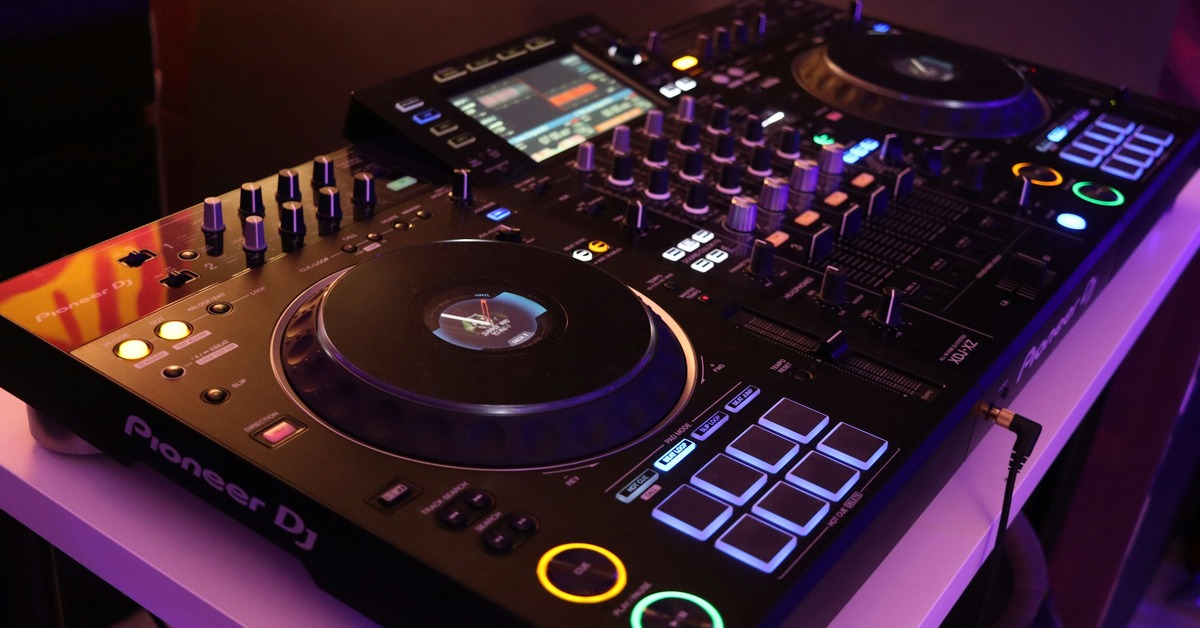
The RR is roughly half the cost of the RX3 at current street prices. That’s a big difference, but that price translates directly into compromises: smaller screen, fewer outputs, less robust FX control. The RX3 gives you a 10.1-inch display, a full four-channel mixer, and dedicated FX paddles that make live mixing feel effortless.
So who buys what? The RR tends to attract beginners who want something better than a controller but can’t justify a four-figure investment. It also appeals to mobile DJs who prioritize weight and quick setup over premium features. The RX3 is for semi-professionals who want a single unit that can handle everything from bar gigs to wedding receptions without touching a laptop.
The key is understanding your actual workflow. If you mix straight transitions and rarely touch FX, the RR is fine. If you craft sets with layered loops, echoes, and filter sweeps, the RX3 saves you from constant menu diving.
Neither is wrong, but one will make you happier based on how you actually play.
Pioneer XDJ-RR Overview: What You Get for the Price
The XDJ-RR is Pioneer’s most affordable standalone all-in-one. It runs on the same core engine as the bigger units, so you can play from USB drives without a laptop. The 7-inch touchscreen is resistive, not capacitive. It works with gloves but doesn’t feel as responsive as a modern smartphone.
Here’s what matters:
- Screen: 7-inch resistive touch. Functional but small. Waveforms are basic compared to the RX3.
- Channels: 2+2 mixer layout. Two dedicated channels for the players, plus two line/aux inputs. No third or fourth channel for extra gear.
- Pads: Performance pads for Hot Cue, Beat Loop, Slip, and others. No Keyboard mode.
- FX: Sound Color FX and Beat FX, but no dedicated paddles. You adjust parameters through the touchscreen.
- Ports: Dual USB ports for loading tracks, but you cannot export playlists directly from the unit. You need a laptop or a separate device.
- Weight: About 6.5 kg (14.3 lbs). Light enough for a padded gig bag.
In practice, the RR is a reliable workhorse. I’ve used it in small pubs and house parties where space was tight. It fits in a car trunk with room for speakers and cables. Setup is quick: plug in USB, connect speakers, and you’re mixing in under two minutes.
The tradeoff is that you feel the limitations during more complex sets. Browsing a large library on that 7-inch screen takes patience. Adjusting FX parameters while a track is peaking requires menu navigation. It’s not a dealbreaker for straightforward mixing, but it slows you down if you’re trying to do more.
Best for: Mobile DJs on a budget, serious beginners who plan to gig, and anyone who needs a lightweight standalone for small to medium venues.
Pioneer XDJ-RX3 Overview: The Current King of All-in-Ones
The XDJ-RX3 is what happens when Pioneer puts its flagship technology into a single box. The headline feature is the 10.1-inch full-color touchscreen. It’s the same size and interface you’d find on the CDJ-3000, which is a big deal for anyone who wants to practice on club-standard gear.
Here’s what sets it apart:
- Screen: 10.1-inch capacitive touch. Sharp, bright, and responsive. Waveforms are stacked for easy beatmatching. You can zoom in and scroll through tracks with two fingers.
- Channels: Full 4-channel mixer with dedicated XLR outputs and improved EQ. The booth output has its own EQ, which is a lifesaver in loud rooms.
- Pads: Same performance pads plus Keyboard mode for melodic playing. More pad modes overall.
- FX: Dedicated Beat FX paddles. You can control sweep, delay, echo, and more on the fly without touching the screen. Individual channel FX routing.
- Ports: Dual USB with full library management. You can analyze tracks and create playlists directly on the unit. Balanced XLR master output.
- Weight: About 10.5 kg (23.1 lbs). Requires a flight case for serious transport.
Using the RX3 feels like driving a car with a heads-up display. The screen makes track selection fast and intuitive. You can see waveform details that help you plan transitions without guessing. The FX paddles let you slam a long echo or a filter sweep with one hand while the other adjusts the EQ.
The downside is the weight. At 10.5 kg, it’s a solid chunk of gear. You will feel it after a flight of stairs. It also demands a proper case, which adds cost and bulk.
Best for: Serious mobile DJs who play multiple times per week, club-minded users who want to practice on a similar interface to CDJs, and anyone who wants to minimize laptop use during a set.
Screen and Interface: The Biggest Difference
If you only remember one thing from this comparison, let it be this: the screen changes everything.
The XDJ-RR’s 7-inch resistive touchscreen works, but it feels like technology from a few generations ago. It requires a firm press, not a light tap. The waveform display is small, and browsing a large libraryâlike 10,000 tracksâinvolves a lot of scrolling. You can’t zoom waveforms with pinch gestures. It’s functional but slow.
The XDJ-RX3’s 10.1-inch capacitive touchscreen is night and day. It’s responsive, bright, and packed with detail. Stacked waveforms make beatmatching visual and fast. The track browser shows more information per screen, reducing the amount of scrolling you need. You can zoom into waveforms with two fingers, which helps when micro-editing a blend.
There’s a practical tradeoff here. If you use Rekordbox on a laptop and treat the unit as a playback device, the smaller screen on the RR might not bother you. You’ll prep everything in advance and just hit play. But if you want to browse, search, and adjust on the fly without a laptop, the RX3 is the clear winner.
Battery drain isn’t an issue since both units are AC-powered. Responsiveness is where the gap is real.
Verdict: The RX3’s screen is worth the upgrade if you mix from USB libraries and want fast, tactile browsing. If you’re tethered to a laptop anyway, the RR screen is adequate.
Performance Pads and FX: Hands-On Mixing Experience
This is where the RR loses ground for creative DJs.
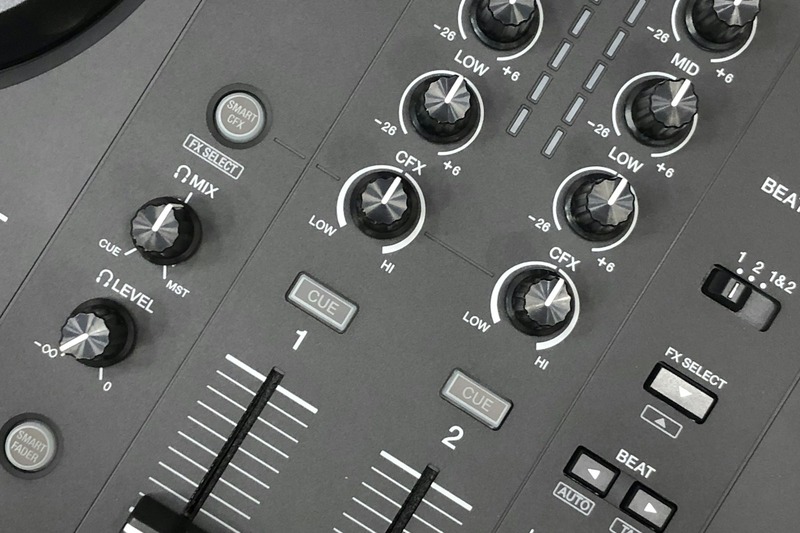
The RR has basic pad modes: Hot Cue, Beat Loop, Slip, and a few others. It works fine for setting cue points and triggering loops. The Beat FX are accessible but require screen navigation to adjust parameters. Want a long echo on a vocal? You’ll tap through menus to change the time and feedback. It’s doable, but it breaks your flow during a mix.
The RX3 adds dedicated FX paddles. These are physical controls mounted above the mixer section. You can grab a paddle, pull it down, and instantly trigger a sweep, delay, or reverb. The parameter adjust is right there on the unit. Individual channel FX routing means you can put echo on channel one and filter on channel two simultaneously.
I’ve had moments where I wanted to do a long echo out on the RR, and by the time I found the right menu, the moment had passed. On the RX3, it’s instinctual. You don’t think about it; you just do it.
Pad modes also differ. The RX3 includes Keyboard mode, which lets you play melodies or basslines over a track. That’s not a feature everyone needs, but if you produce or like to improvise, it’s a fun addition.
Recommendation: If creative FX and on-the-fly adjustments matter to you, the RX3 is worth every penny. If your style is clean transitions and basic loops, the RR is sufficient.
Portability and Build: Gig Bag vs Flight Case
Mobile DJing is a physical job. Gear weight matters more than you think until you’re carrying it up three flights of stairs.
The XDJ-RR weighs about 6.5 kg (14.3 lbs). You can carry it in a padded gig bag with one hand. It fits easily in a compact car trunk next to a subwoofer. Setup is simple: open the bag, plug in, and go. I’ve done it dozens of times without issue.
The XDJ-RX3 weighs about 10.5 kg (23.1 lbs). That’s a significant jump. It’s not impossible to carry, but you’ll want a flight case with wheels if you do multiple gigs per week. A good flight case adds another 5-7 kg and costs $200-300. That changes the total weight to around 15-17 kg (33-37 lbs). That’s desk territory, not bag territory.
Build quality follows the same pattern. The RX3 has a metal chassis and feels tank-like. The RR is mostly plastic with metal accents. Both are durable enough for regular use, but the RX3 will survive a drop better.
Practical advice: If you play one or two gigs per month and store gear at home, the RR in a soft bag is manageable. If you play weekly and load in/out frequently, invest in the RX3 with a wheeled flight case to protect your investment. For those looking for a solid carrying option, consider a padded controller bag for the RR or a flight case with wheels for the RX3.
Channel Layout and Mixer Functionality
The mixer layout is another point where the RR compromises.
The RR has a 2+2 layout. Two physical channels are dedicated to the players. The other two are line/aux inputs. This means you can connect an external device, like a turntable or a phone, but you cannot use them as a third or fourth deck for mixing tracks from USB. If you want three decks going at once, you’re out of luck.
The RX3 has a full four-channel mixer. All four channels can handle USB tracks. You can also connect external gear to any channel. The EQ curve is the same as the DJM series, which means the sound is cleaner and the filters are smoother.
Microphone inputs exist on both, but the RX3 handles two mics with independent EQ, which matters for weddings or events where you have a host and a coordinator.
Practical scenario: If you strictly play two-track mixes without external gear, the RR’s layout is fine. If you want to add a turntable for vinyl, a CDJ for a guest DJ, or a third deck for layered mixing, the RX3 is the better choice.
Rekordbox and USB Workflow: What Changes
Both units support USB playback from Rekordbox-exported drives. This is the core of the standalone experience. But the level of on-unit management differs significantly.
With the RR, you must prepare your USB sticks on a computer using Rekordbox before you leave home. You cannot analyze tracks, create playlists, or edit cue points on the unit itself. If you forget to add a track or want to rearrange a playlist, you need a laptop or a separate device. That’s a workflow limitation if you do last-minute prep.
With the RX3, you can analyze tracks directly on the unit. You can create and edit playlists, adjust cue points, and manage your library without a laptop. This is a game-changer for DJs who work on the go or want to adjust their set based on the crowd’s reaction.
Tip: Regardless of which unit you choose, always carry a backup USB. Drives fail. Having a second copy of your essential playlists saves a gig. A reliable high-speed USB drive is worth the investment.
Recommendation: If you meticulously prepare sets at home and rarely change things, the RR workflow is fine. If you like to adjust your library on the fly, the RX3 saves you time and frustration.
Audio Quality and Outputs
Both units use 24-bit/44.1 kHz audio, which is standard for DJ gear. The RX3 has a slightly improved DAC and more output options, but in most live settings, you’ll be hard-pressed to hear a difference.
The real differentiator is the output configuration. The RX3 has balanced XLR master outputs and a dedicated booth output with its own EQ. The booth output is a huge advantage in loud environments because you can create a separate monitor mix without affecting the main output. The RR only has RCA master outputs and a headphone cue. No booth output.
If you play in small bars or house parties, the RR’s outputs are adequate. If you play in larger venues with separate monitor systems, the RX3’s booth output is essential for hearing your mix clearly.
Cost-benefit: Don’t choose the RX3 purely for audio quality unless you’re in a studio or quiet listening environment. The booth output advantage is what matters for live sound.

Common Mistakes When Choosing Between These Two
I’ve seen DJs make the same mistakes over and over. Here are the ones to avoid.
1. Buying the RX3 because it’s newer, not because you need the features. The RX3 is better, but it’s also pricier and heavier. If you only play two-track mixes with basic transitions, the RX3 is overkill. You’ll pay extra for screen and FX you rarely touch.
2. Buying the RR to save money, then needing more channels or FX later. This is the classic “buy once, cry once” dilemma. If you’re already imagining a setup with turntables or a third deck, skip the RR and get the RX3. Upgrading later costs more than buying right the first time.
3. Ignoring the total cost of ownership. The RR is cheaper, but you may need a laptop for features or a separate case. The RX3 costs more upfront but includes better outputs and on-unit library management that might save you from buying a separate device. Include the cost of a good case in your budget.
4. Overlooking the used market. Both units hold value well, but the RX3 is newer and more expensive on the used market. You might find a clean used RR for $800-1000, which is a steal for a standalone. A used RX3 is still around $1500-1700. Factor that into your decision.
Self-assessment checklist: Ask yourself how many gigs you play per month, how much gear you carry, whether you need a booth output, and whether you plan to add extra decks. The answer will guide you to the right unit.
Price vs Value: Which One Makes More Sense Long-Term?
Current street prices fluctuate, but expect to pay around $1000-1200 for a new XDJ-RR and $1800-2100 for a new XDJ-RX3. That’s a significant gap, but the long-term value calculation depends on your usage.
If you play 20 gigs a year, the RR cost per gig is roughly $50-60 over a 5-year lifespan. The RX3 at 20 gigs per year over 7 years is about $130-150 per gig. That seems worse, but the RX3 offers better features per gig, which can translate into higher quality sets and potentially better bookings.
Resale value is strong for both, but the RX3 depreciates more slowly early on because demand is high for used flagship units. The RR depreciates faster but from a lower starting point.
Balanced conclusion: For part-time mobile DJs playing 1-2 gigs per month, the RR is smarter. The cost savings are real, and the limitations won’t hold you back. For weekend warriors playing 3-4 gigs per week or club installs, the RX3 is the better investment. The per-gig cost is higher, but the improved workflow and build quality justify it over time.
Final Verdict: Which One Should You Buy?
The Pioneer XDJ-RX3 is the better unit. It has a superior screen, better FX control, full four-channel mixing, and on-unit library management. If you’re a serious DJ who plays regularly and values a smooth workflow, get the RX3.
The Pioneer XDJ-RR is the smarter choice for budget-conscious DJs, mobile DJs who need light gear, and beginners who want a standalone without breaking the bank. It’s reliable, portable, and capable for most gig types.
Buy the XDJ-RR if: you’re on a tight budget, play small venues, mix clean transitions, and want a lightweight unit that fits in a gig bag.
Buy the XDJ-RX3 if: you play multiple times per week, want the best screen in an all-in-one, use creative FX, and need a booth output or expandable mixer.
Think about your next 20 gigs, not the excitement of unboxing new gear. The right choice will serve you for years.
Frequently Asked Questions
Can the XDJ-RR work without a laptop?
Yes, it is a standalone unit. You can plug in a USB drive with Rekordbox-exported tracks and play immediately. However, you cannot analyze tracks or create playlists on the unit itself. That requires a laptop or a separate device.
Does the XDJ-RX3 have Bluetooth?
No. Neither the RR nor the RX3 has built-in Bluetooth. You can add a Bluetooth receiver to the aux input if you want to stream music from a phone, but that is an aftermarket addition.
Which one is better for scratching?
Both have capacitive touch platters that work well for scratching. The RX3 has improved tension adjustment, which allows you to dial in the platter resistance to your preference. The RR’s platters are lighter and have less adjustment range. For serious scratch DJs, the RX3 is better, but both are usable.
Can I use both with Serato?
Not natively. Both units are designed exclusively for Rekordbox. They do not work with Serato DJ Pro without additional hardware (like a third-party interface). If you are a Serato user, these are not the right units unless you switch ecosystems.