
Why Go Laptopless? The Real Benefits of Standalone DJing
Every DJ who has watched a laptop freeze mid-set, dealt with a loose USB cable during a drop, or scrambled for a backup power source knows the appeal of going standalone. For club DJs, the motivation is often about matching the rider: most venues expect you to walk in with a USB stick, plug into the booth’s CDJs, and get to work. For mobile and bedroom DJs, the draw is more about reliability and focus. Removing the laptop cuts out a major point of failureâoperating system updates, background app crashes, fan noise, and the awkward hunch over a screen. It forces you to listen more and watch less. It also makes you more portable. A pair of USBs and headphones is a smaller kit than a laptop, controller, and interface. That matters if you’re on a tight stage, traveling light, or moving between rooms at a festival. There is a learning curve, though. You lose visual waveforms and track previews. You need to know your library cold and have your cue points set in advance. But for many DJs, the tradeoff is worth it for a performance that feels more like DJing and less like managing a playlist.
What You Need for Standalone DJing with CDJs
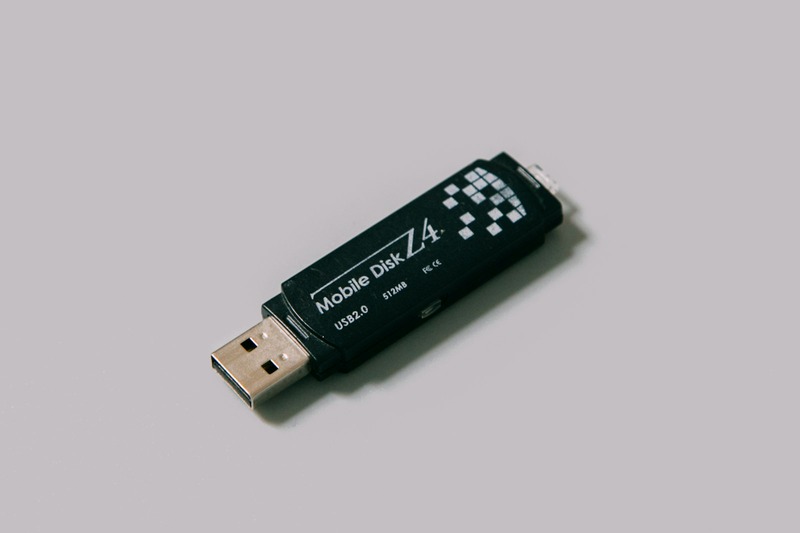
To go laptop-free, you need three hardware pieces: a pair of CDJs or XDJ players, a mixer, and at least one USB drive. The CDJs do the heavy liftingâreading your Rekordbox-exported files, handling playback, and displaying waveforms on their own screens. The mixer blends audio and controls routing. The USB drive holds your music library, prepared and organized in Rekordbox. Here is the reality check: not all CDJ models work the same way for standalone use. Older models like the CDJ-400 or CDJ-800 require CDs or a connected laptop for full functionality. You need models that support USB playback. The CDJ-2000 Nexus, CDJ-3000, and XDJ-1000 MK2 are good examples. If you’re buying gear for home practice, focus on models that support ProLink (Pioneer DJ’s networking protocol) so you can share tracks between players over ethernet without a laptop. For the USB drive, use a high-speed USB 3.0 model. SanDisk Extreme drives are a reliable choice â something like these are worth sorting through for fast load times. Format your drive to FAT32 or exFATâNTFS won’t work on most CDJs. You’ll also need a standard ethernet cable if you plan to link two players for track sharing. A decent pair of headphones for cueing is essential, but you already own those. That’s the core setup. Everything elseâpadded cases, power conditioners, backup drivesâis convenience.
Preparing Your USB Drives: The Step-by-Step Workflow
This is where the real preparation happens. Standalone DJing without a laptop is only as good as your USB stick. Here’s how to do it right. First, install Rekordbox on your laptop. You don’t need the paid subscription to prepare and export tracksâthe free version handles library management and USB export. Import your music files into Rekordbox. Use lossless formats (FLAC, AIFF) or high-bitrate MP3s. Analyze all tracks immediately. The analysis detects BPM, beat grids, and waveforms. Without proper analysis, your CDJ will misread beat grids, sync will be unreliable, and you’ll waste time manually adjusting. Next, set cue points and memory cues. Mark at least two cue points per track: one at the intro or first beat, another at a drop or transition point. Use memory cues for mixing sections. Organize your tracks into playlists by genre, energy, or set context. Export to your USB drive using the “Export” tab in Rekordbox, not the “Sync Manager.” Choose your drive, select playlists, and hit export. Do yourself a favor and keep a backup USB for each gig. Label your drives clearlyâuse a label maker or a paint pen. Before any real gig, test your USB on a CDJ if you can. This confirms that your cues, beat grids, and playlists display correctly. Common mistakes include forgetting to analyze tracks before export, using a slow USB drive, or having mismatched track keys when using harmonic mixing. If you mix by key, ensure key detection is enabled in Rekordbox’s preferences. Keep your Rekordbox library updated before each export. Do not rely on a single drive. Two is minimum. Three is wise.
CDJ Models That Work Best for Laptop-Free Sets
Not all CDJs are created equal when it comes to standalone use. Here is a practical breakdown of what works and what doesn’t.
CDJ-3000
Flagship model. Full standalone support. Large touchscreen, advanced beat grid editing on the unit, and excellent track separation. Best for club riders and professionals. Expensive, but if you’re buying for a home setup to mimic club conditions, this is the gold standard.
CDJ-2000 Nexus (and Nexus 2)
Still very common in clubs. USB playback works reliably. You lose the advanced touchscreen and some performance pad features compared to the 3000, but for most DJs, it’s more than enough. Avoid the original CDJ-2000 (non-Nexus)âit requires CDs or a laptop for full functionality.
XDJ-1000 MK2
Budget-friendly alternative. No CD drive, USB-only. Smaller screen but still functional. Great for mobile DJs or home setups. You miss some ProLink features like sharing hot cues between players, but for standalone mixing, it works.
CDJ-900 (and 900 Nexus)
Older but usable. USB playback works. No floating fader, smaller screen. Sync is less flexible. Fine for practice or backup gear. Not recommended for serious gigging if you rely on ProLink or beat sync.
Avoid for Standalone Use
CDJ-400, CDJ-800, CDJ-1000. These require CDs or a laptop connection. Do not buy these if your goal is standalone DJing without a laptop.
If you’re on a tight budget, look for second-hand XDJ-1000 MK2 or CDJ-900 Nexus units â check used CDJ player options to get a feel for availability. For maximum future-proofing, the CDJ-3000 is worth every penny for the dedicated DJ.
Setting Up CDJs Without a Laptop: A Practical Walkthrough
Here is how to physically set up your gear for a laptop-free gig. Step one: power everything down. Connect each CDJ to power using separate outlets if possible, or a single power strip with surge protection. Step two: connect the mixer. Run RCA cables from each CDJ output to the corresponding channel input on your mixer. If your mixer supports digital connections (AES/EBU), use those for cleaner signalâbut not all mixers or CDJs have that. Step three: link your CDJs. If you want both players to access the same USB drive without swapping, connect an ethernet cable between them. This enables ProLink. Some newer models allow wireless linking, but wired is more reliable â a short ethernet cable makes this step neat. Step four: insert your USB drives. You can use one USB for both players if you use ProLink, or each player with its own drive. Step five: power on. The CDJs will boot and scan the USB drive. Your playlists will appear. Set your mixer to the correct input channel and adjust the trim. That’s it. If you’re running four decks, the process is the same but you need a mixer with four inputs and a switch (like a DJM-900 Nexus or similar) to route ProLink traffic. Sync works if you have analyzed tracks in Rekordbox. Beat grids should match, but always verify. If you’re playing a track you haven’t mixed before, check that the waveform aligns. Some CDJs let you adjust beat grids on the fly. Use those tools if your grids are off. Common issue: mixing CDJs from different generations. A CDJ-3000 and CDJ-2000 Nexus can link and play, but some features (like manual beat grid editing) won’t be available on the older unit. Test your combination beforehand.
Rekordbox vs. Other Software: What You Actually Need
For standalone DJing without a laptop, Rekordbox is not optionalâit is the standard. Pioneer DJ’s ecosystem relies on its database format for cue points, beat grids, and playlists. If you export from any other software, your CDJs will see the music files but not the metadata. That means no cues, no beat grids, and no proper organization. You could still load tracks manually, but you’d lose all efficiency. Alternatives like Virtual DJ or Serato can export to Rekordbox-formatted USB drives if you install conversion tools or use hardware unlock with certain controllers, but it adds complexity and potential failure points. The easiest path is to use Rekordbox. You do not need a paid plan. The free version handles analysis, playlists, and USB export. If you want to record mixes or use performance features like DVS, you’ll need to pay. But for preparation, free is enough. If you already own Serato hardware, you can still use Rekordbox just for prep and keep Serato for laptop-based sets. Many mobile DJs do exactly that. Just keep your Rekordbox library updated alongside your Serato library. That takes discipline but it’s doable. For most DJs, the question is not “which software” but “when to prepare.” Do it before every gig. Update your playlists, re-analyze new tracks, and re-export your USBs. Stale data leads to bad cues and broken beat grids.
Common Mistakes and How to Avoid Them
Mistakes happen. Here is what I have seen go wrong and how to avoid it.
- Forgetting to update your Rekordbox library before export. If you add tracks to your hard drive but don’t analyze and export them, they won’t be on your USB. Solution: export every time you add new music. Make it a habit.
- Using slow or cheap USB drives. A bargain-bin USB 2.0 drive loads slowly on CDJs. Tracks take seconds to start, and playlists take forever to populate. Solution: use a SanDisk Extreme Pro or comparable USB 3.0 drive â fast USB drives for DJ use make a noticeable difference.
- Not having a backup drive. USB drives fail. Or you leave one at home. Always bring at least two drives, each with identical Rekordbox exports. Keep one in your bag and one in your pocket.
- Mismatched beat grids due to lack of analysis. If you skip analysis in Rekordbox, your CDJ will guess the BPM and gridâoften incorrectly. Solution: always analyze every track in Rekordbox before export. Adjust grids manually if a track is complex.
- Forgetting to turn off Wi-Fi or Bluetooth on your gear. Some CDJs and mixers will search for wireless networks or software updates if connected. This can cause lag or sync issues. Solution: disable Wi-Fi and Bluetooth on the units if possible, or unplug network cables not in use.
- Not knowing your library cold. Without waveforms, you rely on memory. If you haven’t practiced a track, you will fumble. Solution: practice your set on CDJs before the gig. Know your cue points and energy flow.
These are all avoidable. Spend one hour prepping before a gig, and you save yourself from a night of stress.
CDJ vs. Laptop DJing: Which Is Right for You?
There is no one-size-fits-all answer. Both setups have tradeoffs.
Laptop DJing gives you visual flexibility. You see more track info, use streaming services, and run effects. It’s cheaper to startâa controller plus laptop costs less than a pair of CDJs. It’s better for DJs who rely on harmonic mixing displays, have a large library, or play genres that require heavy on-the-fly remixing.
Standalone DJing without a laptop prioritizes reliability and focus. No crashes, no wires, no distractions. It’s the club standard for a reason. It forces you to develop ear skills. You cannot stare at a waveform during a build. You have to listen. It’s better for DJs who perform regularly, value tactile control, and want a setup that matches 90% of club riders.
Who should stick with a laptop? DJs who use streaming services mid-set, do heavy on-the-fly remixing, or need extensive visual feedback for beat matching. Who should go laptopless? Club DJs, mobile DJs doing weddings, and anyone who wants to reduce setup time and failure points. If you are on the fence, try practicing one set per week without the laptop. You will quickly see which approach fits your style.
Must-Have Accessories for Reliable Standalone Sets
A few accessories can make or break your laptop-free experience.
- High-speed USB 3.0 drives. SanDisk Extreme or Samsung T series. Fast read speeds matter. Use 128GB or 256GBâlarger drives can be slower. Two drives minimum.
- USB hub. If your CDJs have limited ports or you need to run backup drives, a powered USB hub keeps everything stable.
- Ethernet cables. For ProLink. Get 1-2 short cables (3 feet) to link players without clutter.
- Power conditioner. For club or stage power, a Furman or similar unit protects your gear from surges and noise. Borrow one if you are not buying.
- Padded flight case. If you travel, a padded case for your CDJs and mixer prevents damage. Gator and Odyssey make reliable models.
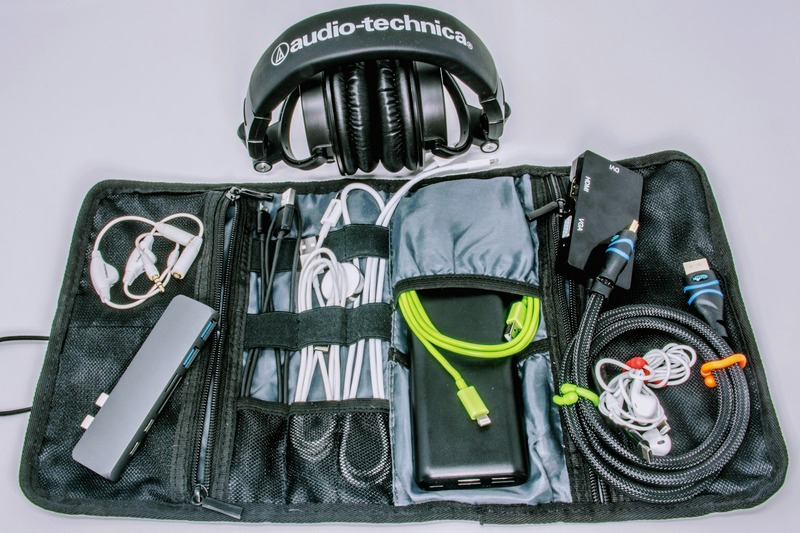
- Cable bag. Small pouch for cables, USBs, adapters. Keeps everything organized.
These are not luxuries. They solve real problems: lost data, dead ports, power noise, and cable clutter. Browse DJ gear accessories to see what’s available. I have linked specific models that I trust below.
Final Checklist Before Your Next Gig Without a Laptop
Use this checklist before every standalone set.
- USB drives prepared in Rekordbox (analyzed, cues set, playlists organized)
- At least two USB backups (both tested on a CDJ)
- Ethernet cables for ProLink (if using)
- Mixer input routing checked
- Power cables and surge protector packed
- Headphones and adapter (if needed)
- Cue points for all new tracks verified
- Beat grids checked for tempo changes
- Wi-Fi/Bluetooth disabled on gear
- Spare USB drive in your pocket
Tick these off before you leave the house. It takes ten minutes and saves an hour of troubleshooting at the venue.
Bottom Line: Should You DJ Without a Laptop?
Yesâbut only if you are willing to do the prep work. Standalone DJing without a laptop is not more difficult, it is more deliberate. You cannot wing it. If you are a club DJ, it is the expected skill. If you are a mobile DJ, it improves your reliability and professionalism. The learning curve exists, but it is manageable. Start by practicing one set a week without the laptop. Use a single USB and your current CDJ setup. Focus on ear training and track recall. Once you’re comfortable, you will never want to go back. If you are looking to upgrade your gear for standalone use, I recommend starting with a pair of CDJ-3000s if your budget allows. Otherwise, second-hand CDJ-2000 Nexus or XDJ-1000 MK2 units are excellent. Pair them with a quality mixer and a few SanDisk Extreme drives, and you have a reliable, club-ready setup. Check prices on Amazon here. Compare CDJ models here. Grab ethernet cables here.