

“`html
How to Eliminate Ground Loop Hum in Your Studio
If youâve ever powered up your studio monitors only to hear a low, persistent drone that wasnât part of the mix, you already know the frustration of a ground loop. Itâs not just annoying. It ruins low-level detail, masks subtle frequencies, and makes critical listening impossible. Iâve spent more hours than I care to count chasing that hum through patch bays, cable runs, and power strips. The good news: you can eliminate ground loop hum in your studio without rewiring your house or buying gear you donât need. This article walks through exactly how, step by step, starting with the cheapest fixes and moving toward dedicated hardware when necessary.

What Is a Ground Loop and Why Does It Hum?
A ground loop happens when two or more pieces of audio equipment are connected to different ground points, and those points have slightly different voltages. Think of it like water pressure in two pipes that connect at a valve. If the pressure isnât equal, water flowsâor in this case, current flows. That current travels along the shield of your audio cables and gets amplified by your gear, producing that unmistakable 60Hz hum (or 50Hz if youâre outside North America).
Guitarists and studio owners often assume the hum comes from a noisy preamp or a bad tube. More often than not, itâs an electrical problem. The sound system itself becomes part of the circuit, and youâre hearing the difference in ground potential between your computerâs power supply and your monitorâs power supply.
You donât need an electrical engineering degree to understand this. It just helps to know where to look: the path between the ground of one device and the ground of another. Once you see it that way, troubleshooting gets a lot more logical.
Common Symptoms of Ground Loop Hum
Knowing the symptoms helps you confirm itâs a ground loop before you start swapping cables randomly.
- A steady low-frequency hum that doesnât change with your volume knob or mix level. Usually 60Hz or its harmonic at 120Hz.
- A buzz that changes when you touch metal parts of your gear, like a guitar jack or chassis. This suggests the ground loop is running through your body.
- Hum disappears when you unplug a certain cable, especially an unbalanced connection like a TS instrument cable or a USB cable from your computer to your audio interface.
- Hum gets louder when you add more gear to the same power circuit.
If any of these sound familiar, youâve got a ground loop. The next step is figuring out where and how to break it.
The Quick Checklist: First Things to Try
Before you buy anything, run through this list. These are zero-cost checks that solve a surprising number of hum problems.
- Unplug any unused cables from your interface, mixer, or patch bay. Loose cables can act as antennas.
- Plug your computer and audio interface into the same power strip or outlet. This forces them to share the same ground reference.
- Unplug your guitar or instrument cable from the interface. If the hum stops, the issue is inboundâprobably a DI box shield problem or an unbalanced cable.
- Move your monitors away from the computer tower and power strips. Electromagnetic interference from big transformers can inject hum even without a ground loop.
- Turn off any dimmer switches or fluorescent lights on the same circuit. These introduce noise that can get into your audio path.
Thatâs the low-hanging fruit. Most of the time, one of these steps will either eliminate the hum entirely or make it quieter enough to point toward the real culprit.
Best Fix: Using a Direct Injection (DI) Box
A DI box is one of the most reliable ways to break a ground loop, especially if youâre plugging a guitar, bass, or any unbalanced source directly into an audio interface or mixer. The reason is simple: a passive DI box uses a transformer to isolate the signal electrically. The audio passes through magnetically, but the ground connection does not. That kills the loop at the point of entry.
For most studio setups, a passive DI box is the right choice. Active DI boxes require power, which adds another potential ground path. The Radial ProDI is a classic for a reasonâit has a built-in ground lift switch, transformers that deliver clean sound, and a rugged steel shell that wonât die after a few months on the floor. The Whirlwind IMP 2 is another solid option, slightly cheaper but equally reliable. If youâre looking for a versatile passive option, you might consider a passive DI box that keeps your signal path clean and simple.
Active DI boxes do have their placeâthey handle very high output levels or very long cable runs better. But for ground loop isolation, passive wins every time. You donât need phantom power. You donât need batteries. Just a clean signal path that doesnât carry ground noise.
If youâre shopping for a DI box specifically to kill hum, ignore the boutique brands and stick with Radial or Whirlwind. Theyâre affordable and proven.
Power Conditioners: Do They Really Help?
Power conditioners are a common recommendation, but theyâre not magic. A standard power conditioner filters out high-frequency noise from the AC lineâthings like motor spikes or radio interference. Thatâs great for cleaning up your overall signal. But a ground loop is a low-frequency problem, and many power conditioners donât address it directly.
That said, a good power conditioner can still help. Units like the Furman M-8×2 or Tripp Lite ISOBAR offer voltage regulation, surge protection, and noise filtering. If youâre running multiple pieces of gear from one rack, plugging everything into a single conditioner forces them onto the same ground reference. That alone can break small loops. For those with a rack full of gear, a power conditioner for studio use is worth considering to keep everything stable.
Best for: Studios with multiple rack units, computers, and monitors in one room. A conditioner wonât fix a loop between your guitar and your interface, but it will keep your entire power system cleaner and more stable.
If you have a persistent hum even after everything shares the same conditioner, the loop is probably happening through your audio cables, not your power cables. In that case, move on to isolation gear.

The Hum Eliminator: A Dedicated Gadget
Products like the Ebtech Hum X or Hum Eliminator are purpose-built for one thing: breaking ground loops in unbalanced audio lines. They sit inline between two pieces of gear and use transformer isolation (similar to a DI box) to block the ground path while passing the audio signal.
Where these shine is between a mixer and powered speakers, or between a computer headphone output and a monitor system. Theyâre also good for fixing hum that appears when you connect a laptopâs USB output to an audio interfaceâa very common scenario in small studios.
A Hum Eliminator is different from a DI box in that itâs designed for line-level signals, not instrument-level signals. So if your hum is coming from a keyboard, drum machine, or interface output, this is the tool. The Ebtech Hum X also has a ground lift switch, which gives you the flexibility to try different configurations without buying extra cables.
One caveat: these gadgets arenât cheap. But compared to replacing all your cables or buying a rack full of test gear, theyâre a targeted solution that works.
Cable and Shielding Issues: What to Check
Before you assume a ground loop is the problem, verify that your cables arenât the weak link. Faulty or poorly shielded cables can introduce hum all on their own.
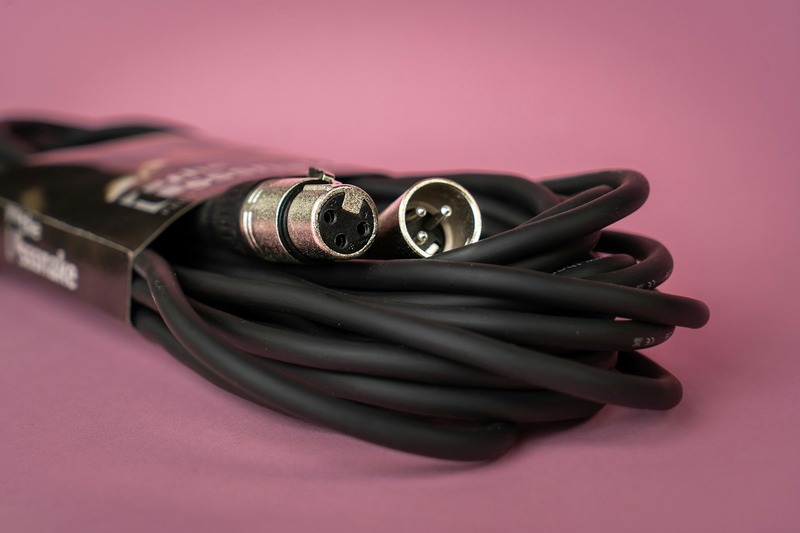
- Use balanced cables (XLR or TRS) whenever possible. Balanced connections reject noise more effectively than unbalanced TS cables. If your gear supports it, make the switch. A set of balanced audio cables can make a noticeable difference in your signal clarity.
- Inspect cable shielding. Cables like Mogami Gold or Canare L-4E6S have braided or spiral shielding that provides better rejection than cheap foil-shielded cables. If youâve been using bargain-bin cables, upgrading here can solve hum problems without any other hardware.
- Never run audio cables parallel to power cables. Even with balanced lines, the electromagnetic field from a 120V power cable can induce hum. Keep a few inches of separation. If they have to cross, cross at a 90-degree angle.
- Check for damaged connectors. A bent tip or loose sleeve can create intermittent ground connections that mimic ground loop symptoms.
Balanced connections arenât foolproofâa bad ground can still cause humâbut they are your first line of defense.
The ‘Lift the Ground’ Debate: When It Works and When Itâs Dangerous
Ground lift adaptersâthose little three-to-two prong cheatersâare tempting. You plug one in, and suddenly the hum disappears. It feels like a win.
But hereâs the truth: removing the earth ground from a piece of equipment creates a shock hazard. If a fault develops inside that gear, the chassis can become live. You touch it and a grounded microphone at the same time, and you become the path to ground.
I have seen this happen. Itâs not theoretical.
Ground lift switches built into the gear are a different story. Many DI boxes, power conditioners, and hum eliminators include a ground lift switch that lifts the audio ground, not the safety ground. Thatâs safe. The third prong on the AC plug is still connected.
If you donât have a built-in ground lift, use a transformer isolator instead of a cheater plug. The isolator breaks the ground loop without compromising safety. It costs a bit more, but itâs the right way to do it.
Real-World Example: A Simple Studio Setup Fix
Let me walk through a scenario Iâve encountered more times than I can count.
You have a laptop, an audio interface, a pair of powered monitors, and an electric guitar. You plug the guitar into the interface with a standard TS cable. Hum appears the moment you touch the strings.
Step one: unplug the guitar cable. Hum disappears. So the loop is inbound from the guitar.
Step two: insert a passive DI box between the guitar and the interface. Use a balanced TRS cable from the DI output to the interface input. Use the ground lift switch on the DI box.
Result: no hum. The transformer in the DI box isolated the ground path. You didnât need to change your monitors, your computer, or your power setup.
If the hum had persisted, the next step would have been checking the cable between the interface and monitors. If itâs unbalanced, swap it for a balanced TRS or XLR cable. Thatâs usually the second most common fix.
What Not to Do: Common Mistakes That Make Things Worse
- Daisy-chaining power strips. Plugging one strip into another multiplies ground paths and invites loops. Use a single power strip or a proper rack power conditioner.
- Using mismatched cable lengths. Long unbalanced cables are more susceptible to noise. Keep runs as short as practical.
- Ignoring faulty gear. If a piece of equipment hums even when nothing is plugged into it, that gear has an internal issue. Donât try to fix it with cables or conditioners.
- Leaving phantom power on for dynamic mics. Phantom power wonât hurt most dynamics, but it can cause ground loop issues if the microphone cable has a bad shield. Turn it off unless you need it.
- Assuming all hum is ground loop. Sometimes itâs bad shielding, a dying tube, or a noisy power supply. Rule out the simple stuff first.
Tools and Gear You Might Need
If youâre serious about keeping your signal path clean, these are the tools most likely to save you time and frustration:
- Passive DI box (Radial ProDI or Whirlwind IMP 2) for instrument-level isolation
- Hum eliminator (Ebtech Hum X) for line-level fixes between gear
- Power conditioner (Furman M-8×2 or Tripp Lite ISOBAR) for clean, shared power
- Balanced cables (Mogami Gold or Canare) for monitor and interface connections
- Cable tester (cheap but invaluable for finding bad solder joints)
- Multimeter ($20 model is fine) for checking outlet wiring and ground continuity
These arenât impulse buys. Theyâre the same tools youâll use in every studio setup you ever own.
When to Call a Professional
DIY gets you a long way. But if youâve tried all the above and you still have humâespecially if itâs present in every room, or youâve confirmed it on multiple outletsâyou may have a building wiring problem. Poorly grounded outlets, reverse polarity, or shared neutrals can all cause persistent hum that no amount of isolation gear can fix.
An electrician with experience in audio or sensitive electronics can run a dedicated circuit for your studio, install isolated ground outlets, or fix wiring problems at the panel. Itâs not cheap, but itâs cheaper than replacing your entire studio piece by piece.
Final Thoughts: Clean Audio Starts with a Clean Signal Chain
Ground loop hum is frustrating, but itâs also fixable. Start with the free stuff: check your cables, share a power strip, move your gear around. If the hum persists, move to isolationâa DI box or hum eliminator will almost always solve it. Power conditioners help, but theyâre not a silver bullet.
The important thing is to approach it methodically. Unplug one thing at a time. Listen. Then make a single change. Youâll find the loop faster than you think.
If youâre ready to gear up, the tools I mentionedâDI boxes, hum eliminators, and balanced cablesâare all excellent places to start. Each one has a specific job, and owning them means youâll never chase a hum again.
“`