
Introduction
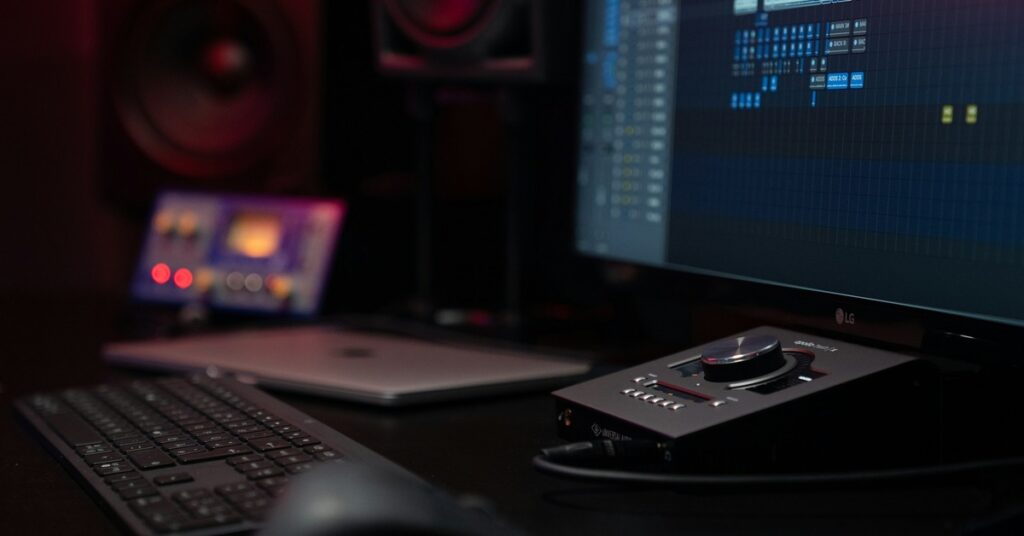
If you record music seriously and have spent time around pro studios, you’ve seen an Apollo interface. The Universal Audio Apollo Twin X is the compact version—it brings big-studio workflow into home setups. I’ve been using one daily for tracking vocals, guitar, and synths for over a year. This review comes from that day-to-day experience, not from spec sheets.
It’s not a budget interface. The Apollo Twin X costs noticeably more than many competitors with similar I/O counts. So the question is simple: is the premium justified for your setup? We’ll cover build quality, sound, workflow, and most importantly—who should actually buy one. There’s plenty of hype around UAD hardware, but this is a practical look at what it delivers and what it doesn’t.
First Impressions: Build and Connectivity
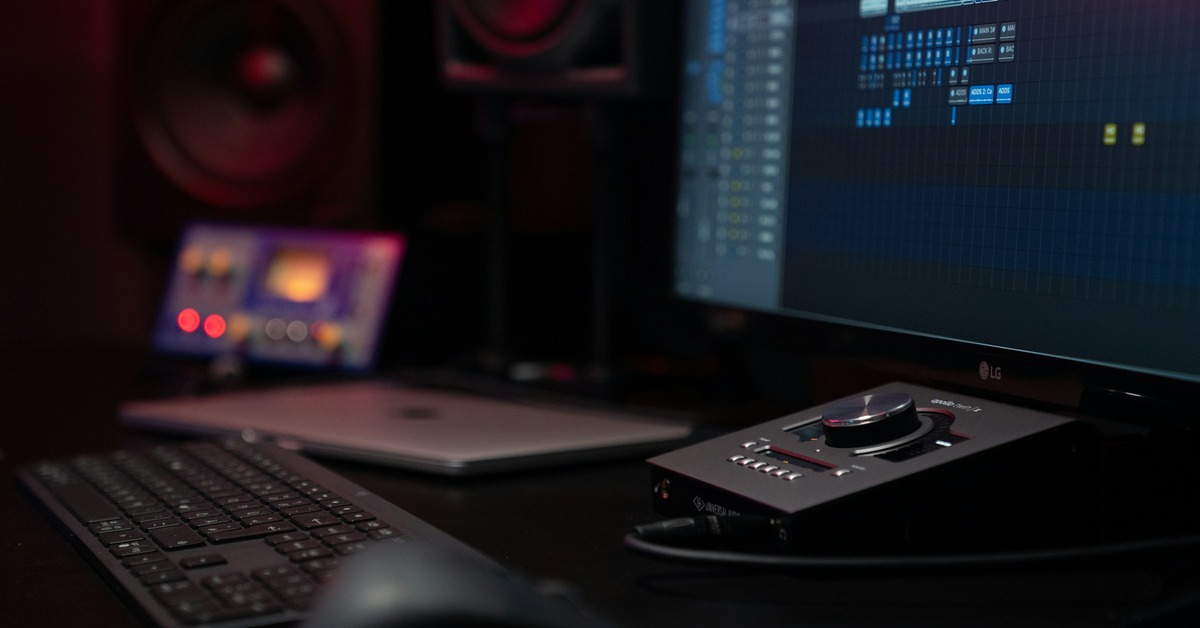
Unboxing the Apollo Twin X, you notice the weight right away. It’s a solid block of aluminum and steel, about the size of a thick hardcover book but denser. It’s not going anywhere on your desk. The chassis feels like it could survive a drop from a studio rack—good thing, because gear gets moved around more than we like to admit.
Connectivity is straightforward and professional. On the back you get:
- Two Unison-enabled preamps with combo XLR/TRS jacks
- Two balanced line outputs (TRS)
- ADAT and SPDIF optical inputs (up to 8 extra channels)
- Thunderbolt 3 port (USB-C form factor)
- External power supply (a small brick, not internal)
The front panel has a dedicated Hi-Z instrument input, a headphone output with its own volume control, and the main monitor knob. That monitor knob is worth mentioning: it’s stepped, not continuous. This means precise left-right matching and no channel drift over time. Small detail, but it matters during long mix sessions.
One quirk: the power supply is external. Some prefer internal PSUs for a cleaner desk, but I actually like the brick. It keeps noise away from the audio circuitry and makes the unit itself smaller. Your call.
The Heart of the System: UAD-2 DSP and Apollo Software
The Apollo Twin X isn’t just an audio interface—it’s a hardware DSP platform. The UAD-2 processor inside runs UAD’s plugin emulations in real time with near-zero latency. This is the core value proposition, and it’s worth understanding before you buy.
Here’s how it works: When you track through an Apollo, you insert UAD plugins directly on the input signal inside the Apollo Console application. The processing happens on the DSP chip, not your computer’s CPU. You can monitor through compression, EQ, reverb, or amp sims before the signal ever hits your DAW, with latency measured in microseconds rather than milliseconds. For vocalists who need reverb in their headphones without delay, or guitarists tracking through a modeled amplifier without plugin delay, this is a big deal.
The Apollo Twin X ships with the ‘Realtime Analog Classics’ bundle, which includes several excellent emulations: the 1176LN compressor, LA-2A, Pultec EQP-1A, Fairchild 670, and a few others. These are studio staples you’d pay hundreds for individually. Getting them included is strong value if you’d buy them anyway. For those looking to expand their collection, a range of UAD plugins is available for specific mixing needs.
DUO vs. QUAD Core: Do you need the upgrade? The Apollo Twin X comes in DUO (dual-core DSP) and QUAD (quad-core DSP) versions. If you’re mostly tracking vocals with one or two plugins, DUO is enough. If you plan to run multiple instances of heavier plugins like the Ocean Way room emulation or the Neve 88RS channel strip while tracking, you’ll hit the DSP ceiling quickly on the DUO. I’d recommend the QUAD unless budget is tight. You can add external UAD DSP accelerators later, but that’s another $500+.
The learning curve on the Apollo Console software is real. It’s not as intuitive as simpler interfaces like the RME TotalMix or Presonus Studio One integration. Plan for an afternoon of setting up your monitor mixes and understanding the routing. Once it clicks, it’s powerful, but don’t expect plug-and-play simplicity.
Unison Preamps: Do They Really Sound Analog?
Unison technology is UA’s secret sauce. When you insert a Unison-enabled UAD plugin (like the Neve 1073 or API Vision channel strip), the Apollo physically adjusts its preamp impedance, gain staging, and input circuitry to match the hardware being emulated. This isn’t just software tweaking the sound—the hardware responds to the plugin.
What does this mean in practice? I tracked a vocal through the Neve 1073 Unison plugin, and the difference compared to the standard preamp with a standard EQ plugin was immediately obvious. The low end felt firmer, the high frequencies had a slight airiness, and the gain knob behaved differently—more saturation at lower settings. It’s not a gimmick. You can hear it.
For DI guitar and bass, Unison really shines. Plugging into the Hi-Z input with a Unison amp sim like the Fender ’55 Tweed Deluxe changes the impedance matching, making the pickup interaction feel more like plugging into a real amp. The attack response and touch sensitivity are noticeably better than using the same amp sim as a standard insert plugin.
Is it a perfect analog clone? No. Anyone who tells you a $1,000 interface with a plugin sounds identical to a $10,000 vintage Neve console channel is selling something. But it’s close enough that in a blind test, most engineers would struggle to tell the difference in a mix. For project studios, this level of accuracy is professional quality. You can release records tracked this way.
Latency and Monitoring: Where the Apollo Twin X Excels
This is the Apollo’s killer feature, and why many tracking engineers won’t use anything else. The near-zero latency monitoring via DSP means you can track with a full plugin chain—compressor, EQ, reverb, delay—and the artist hears everything in real time without distracting delay.
Here’s the practical benefit: When I track vocals, I set up a cue mix with a subtle compressor (1176), a touch of EQ (Pultec), and a hall reverb. The singer hears the processed sound in their headphones with no latency. They don’t feel like they’re singing into a delay. That confidence translates to better takes. For guitarists tracking with amp sims, it’s the same story—no plugin delay between picking and hearing the sound.
There’s a limitation worth noting: the Apollo Console only supports UAD plugins for real-time monitoring. If you want to use third-party plugins (Waves, FabFilter, Valhalla, etc.) in the monitoring chain, you can’t. The signal has to route through your DAW, adding the round-trip latency you were trying to avoid. This is a tradeoff of the closed ecosystem. If you’re heavily invested in non-UAD plugins, the Apollo might not be the best choice for latency-free tracking.
Apollo Twin X vs. Apollo Twin USB (Legacy)
If you’re coming from an older Apollo Twin (Thunderbolt 2 or USB), the improvements in the Twin X are significant enough to think about.
- Converters: The Twin X boasts 115 dB D/A conversion, up from 113 dB on legacy models. In practice, the stereo image is wider, the low end is tighter, and there’s less noise floor. You’ll notice it on high-end headphones or monitors.
- Headphone output: The new model has higher current output, meaning it can drive high-impedance headphones (like Beyerdynamic DT 990 or Sennheiser HD 650) louder and cleaner. This is a meaningful upgrade for headphone mixing.
- Connectivity: Thunderbolt 3 (USB-C) replaces the older TB2 connector. You can connect directly to modern Macs and PCs without dongles. UA doesn’t include a TB3-to-TB2 adapter, and older Macs with TB2 ports need a specific adapter—a minor hassle if you’re on vintage hardware.
If you already own a legacy Apollo Twin and are happy with its converters and headphone output, the upgrade isn’t mandatory. But if you’re doing critical mixing on high-end headphones or need cleaner conversion for detailed work, the X series justifies the change.
Who Should Buy the Apollo Twin X? (And Who Shouldn’t)
This is the key section. The Apollo Twin X is expensive, so being honest about who benefits most is important.
Who should buy it:
- Serious home studio owners who track vocals, acoustic instruments, or guitar regularly and want professional-quality results
- Tracking engineers who rely on real-time effects for artist monitoring
- Producers already invested in the UAD plugin ecosystem (you’re already using their compressors and EQs)
- Anyone mixing on high-impedance headphones who wants the improved headphone output
- Users who want near-zero latency recording without relying solely on their computer’s CPU
Who should avoid it:
- Beginners on a tight budget who need simple, reliable I/O without plugin complexity (look at Focusrite or Audient)
- Producers who don’t use UAD plugins and don’t plan to—the DSP is wasted
- Users needing more than two preamps without expansion—adding ADAT preamps later adds cost
- Windows users who prioritize plug-and-play stability over advanced features (the RME Babyface is more bulletproof on PC)
- Anyone who only needs a clean recording interface without analog modeling—you’re paying for Unison technology you won’t use
The price premium is roughly $300-$500 over comparable interfaces from RME or Audient. The question is whether UAD’s plugin ecosystem and latency-free monitoring are worth that difference to you.
Workflow Tips: Getting the Most Out of Your Apollo Twin X
Here are practical things I’ve learned using the Apollo Twin X daily that will save you time and help you understand its capabilities.
1. Use the Monitor and Headphone outputs for A/B mixing. The main monitor outs go to your speakers. The headphone out can be routed as an independent stereo mix. I set up my Control Room so that pressing a button switches between monitors and headphones, keeping the same mix level. Great for checking low end on headphones without re-routing.
2. Route virtual channels for reamping. The Apollo Console allows you to send audio out via virtual channels that loop back into your DAW. I use this to re-record a DI guitar through different amp sims without repatching cables. Set up a send from your DAW to a virtual output, insert a Unison amp sim on the corresponding input, and record the processed return. Simple once you understand the routing.
3. Use the Hi-Z input for bass or synth simultaneously. While a mic is plugged into channel 1 (XLR), the Hi-Z input on the front can be active as a separate channel. This means you can record a vocal mic and a DI bass at the same time without needing a separate interface or DI box. Handy for singer-songwriter setups.
4. Register your unit immediately and watch for free plugin deals. UA regularly offers free plugin bundles with hardware registration. When I bought mine, I got the ‘Mixing Essentials’ bundle worth $500. Check UA’s website and your registration dashboard within the first 90 days to claim these offers. They’re time-sensitive and often unadvertised.
Common Problems and How to Fix Them
No piece of gear is perfect, and the Apollo Twin X has a few quirks worth knowing about upfront.
Core audio overloads on macOS. This is the most common complaint. It happens when the Apollo Console application crashes or the DSP load spikes. The fix: open Activity Monitor, force-quit the ‘UAD Meter & Control Panel’ process, and restart the Console app. If it happens frequently, disable WiFi during sessions—network interrupts can trigger core audio stability issues on Mac.
Windows driver stability. Historically, UAD has been more Mac-oriented, but the Windows drivers have improved significantly over the last two years. That said, avoid installing the drivers alongside other ASIO interfaces (like Focusrite) to prevent conflicts. Stick to a single driver set.
DSP overload warnings. You’ll see ‘DSP is full’ when you run out of processing power. Solution: freeze or bounce tracks that aren’t being actively tracked, or reduce plugin instances on unused channels. This is why the QUAD Core version is recommended for heavier workflows.
Firmware update glitches. Every few months, a firmware update causes the unit to lose communication with the computer. Standard fix: unplug the Thunderbolt cable, hold down the ‘Mute’ button while plugging it back in, and keep holding until the unit enters firmware recovery mode. Then reinstall the driver. This happens rarely, but knowing the fix saves an hour of panic.
What About the Alternatives?
Choosing the right interface depends on your priorities. Here’s how the Apollo Twin X stacks up against its main competitors:
- RME Babyface Pro FS — Lower round-trip latency than any USB interface in its class, rock-solid drivers on both Mac and PC, and TotalMix FX routing that’s more flexible than Apollo Console. But it has no built-in DSP for plugin modeling. If your priority is pure stability and low latency without analog emulation, RME wins. It’s also $300-$400 cheaper.
- Audient iD14 — Audient’s preamps are genuinely excellent, on par with the Apollo’s standard (non-Unison) sound quality. The iD14 is half the price and smaller. You lose the UAD plugin ecosystem entirely, and the monitor control is less sophisticated. Best for budget-conscious users who want great preamps without the subscription model.
- Antelope Audio Zen Go — Antelope’s interfaces also offer DSP modeling and onboard effects, similar to UA. The Zen Go has more DSP power on paper and includes more modeled effects. However, Antelope’s driver stability has historically been less reliable than UA’s, especially on Windows. If you’re willing to troubleshoot occasional issues, you get more processing for the price.
There’s no universal winner here. RME is the safe, reliable choice. Audient is the value pick. Antelope offers more DSP for less money. Apollo Twin X is the choice if you specifically want UAD’s ecosystem and Unison technology from the tracking stage.
Is the Price Tag Justified? A Verdict
Here’s the short version: the Apollo Twin X delivers on its promises. Build quality is exceptional, converters are transparent and musical, Unison preamps genuinely sound different (and better) than standard ones when paired with the right plugins, and the low-latency monitoring workflow is a legitimate productivity boost for tracking.
But it’s only worth the premium if you actually use the UAD ecosystem. If you’re tracking with stock DAW plugins or third-party sims, you’re paying for DSP you won’t leverage. The Apollo Twin X shines for the producer-engineer who wants to commit to sounds during tracking—compression, EQ, room simulation, amp modeling—and have those decisions be part of the performance.
For pure audio quality without the ecosystem, RME offers similar transparency at a lower price. For beginners, Audient offers better value. But if you’re building a serious home studio and want the workflow that professional tracking engineers rely on, the Apollo Twin X is the right tool for the job.
If you’re ready to investigate the current price, it’s worth checking on Amazon. Check the latest price for the Universal Audio Apollo Twin X here.