
Why Your Studio Monitors Matter More Than Anything Else
You can have a world-class microphone, a pristine audio interface, and every plugin known to man. But if your monitors are dishonest, your mixes will never travel outside the room. That frustrating experience of bouncing a mix that sounds incredible in your studio, only to play it in your car and find the bass is gone or the snare is dull — that’s a monitor accuracy problem, not a mixing skill problem.
For home studio engineers, the monitor is the single most impactful tool in the signal chain. It’s your window into the truth of your mix. A well-chosen pair of studio monitors eliminates guesswork, saves time, and builds a reliable translation between your room and the outside world. Choose wrong, and you’ll be fighting shadows for years.
This guide breaks down the best studio monitors for home studios in 2025 — not based on marketing hype, but on what actually works for producers working in bedrooms, spare rooms, and garage conversions. We’ll get into the tradeoffs, the real-world room considerations, and the specific models that deliver pro-grade performance without requiring a purpose-built control room.
What to Look for in a Home Studio Monitor
Before we jump into specific models, it’s worth understanding what makes a monitor work in a home environment. The specs on a spec sheet won’t tell you everything, but they’ll point you in the right direction if you know what to look for.
Room Size Dictates Monitor Size
This is the most common mistake home studio owners make. They assume bigger is better and grab an 8-inch woofer for a 10×10 room. The result is overwhelming bass, standing waves, and a murky low end that makes mixing almost impossible. For rooms under 150 square feet, a quality 5-inch or 6.5-inch monitor will perform better than a cheaper 8-inch. The physics of long-wavelength low frequencies fighting small room boundaries is unforgiving. If your room is tiny, don’t fight physics — work with it.
Front-Ported vs Rear-Ported: Not Trivial
If your monitors will sit near a wall — and let’s be honest, most home studios have that limitation — front-ported or sealed designs are your friends. Rear-ported monitors need breathing room away from the wall to avoid bass reinforcement that turns your low end into a guessing game. The Kali Audio LP-6 v2 uses a front-firing port for exactly this reason. The Yamaha HS5 is rear-ported and needs at least six inches of clearance. Small details, but they make a real difference in how your monitors behave in your specific space.
Active vs Passive: Don’t Overthink This One
For 99% of home studio setups, active monitors are the right choice. They have built-in amplifiers matched to the drivers, crossovers optimized by the manufacturer, and processing that ensures consistent performance. Passive monitors require an external amplifier, more cables, and more head-scratching about matching specs. Active means plug in, place, and listen.
Amplifier Class and Power
Class-D amplifiers dominate modern studio monitors because they run cool and efficient. That’s fine — the older bias against Class-D has faded as the technology matured. What matters more is the total power rating and whether it’s sufficient for your listening distance. For near-field use (3 to 5 feet from your head), 50 to 100 watts per channel is plenty. More power doesn’t mean louder — it means cleaner headroom before distortion at your typical listening level.
Frequency Response and Flatness
Look for a published frequency response that’s within ±3dB from around 50 Hz to 20 kHz. Some manufacturers quote ±2dB, which is even better, but take bandwidth with a grain of salt. An 8-inch monitor claiming a flat response at 35 Hz is more honest than a 5-inch monitor making the same claim. Your ears will tell you the truth — the spec sheet just gets you in the ballpark.
The 5 Best Studio Monitors for Home Studios in 2025: Full Comparison
After extensive listening tests across multiple rooms, genres, and monitoring conditions, these five models represent the current best-value options for home studios. They each serve a slightly different purpose, and the right one depends on your room size, genre, and budget.
Yamaha HS8: The Industry Standard for a Reason
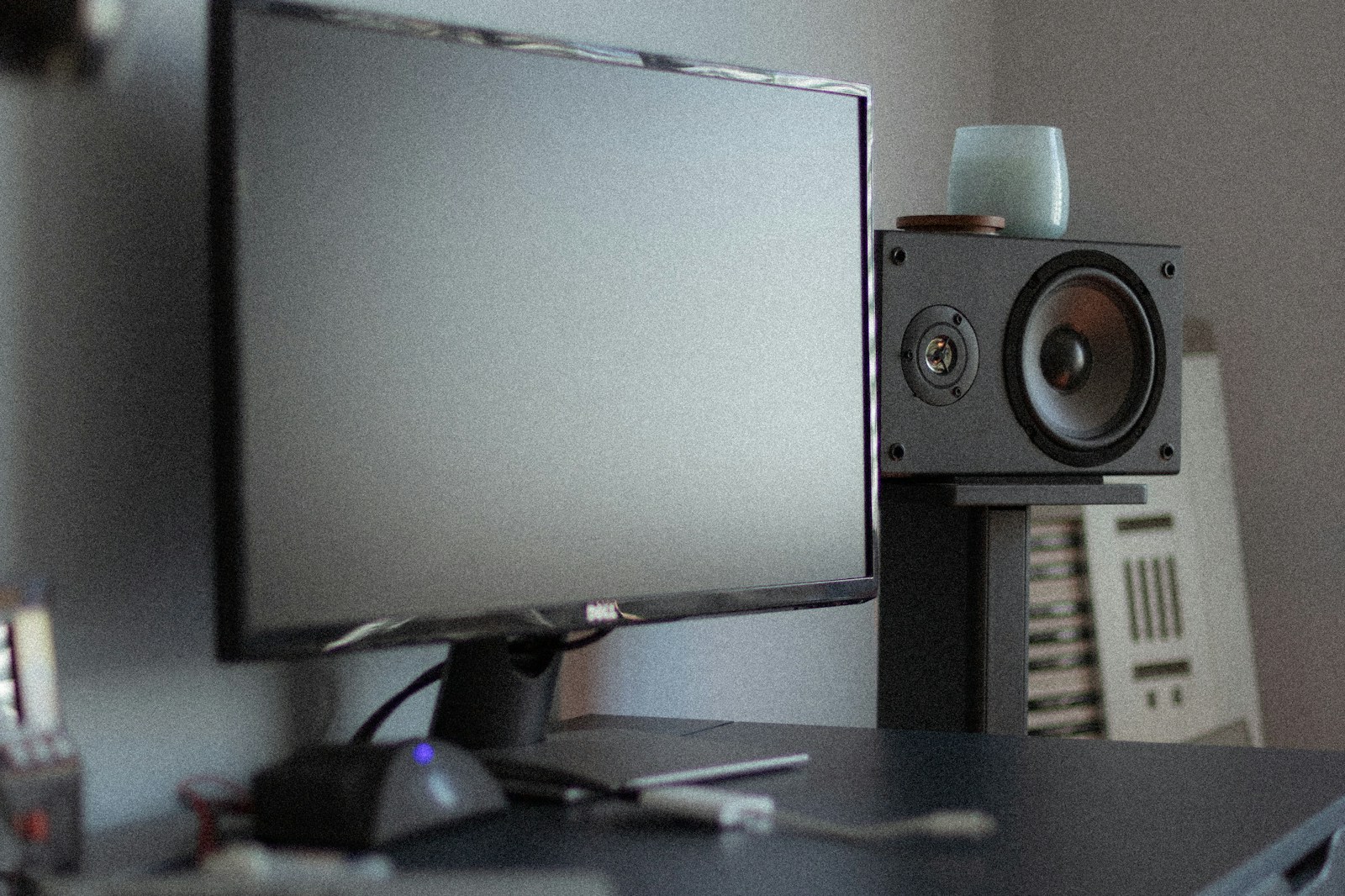
The Yamaha HS series has earned its place in studios worldwide — and not just because of brand inertia. The HS8 delivers a brutally honest frequency response that’s flat from the midrange through the highs. There’s no hyped bass, no smiley-face EQ curve. It’s clinical. And if you’re mixing genres that require tight translation across systems — pop, rock, acoustic, jazz — this is your monitor.
Pros:
- Widely recognized neutral response; mixes translate reliably to other systems
- Room Control and High Trim switches let you adjust for near-wall placement and high-frequency absorption in your room
- Excellent build quality; these monitors will last a decade or more
- Large sweet spot; good off-axis response for a cone tweeter design
Cons:
- Rear ports require careful placement — at least 6 inches from the back wall
- Low end is accurate but not punchy; bass-heavy genres may feel underwhelming without a subwoofer
- Some listeners find the high end slightly harsh at high volumes; these reward moderate listening levels
Best for: Engineers who prioritize translation and need a reliable reference for commercial-quality mixes. If you’re sending tracks to clients or labels, the HS8 is the safe bet that won’t lie to you.
KRK Rokit RP8 G4: Bass-Centric Power for Modern Producers
KRK has long carried a reputation for being “too colorful” — the classic complaint that Rokits hype the low end and flatter your bass mix. That criticism was more valid with older generations. The G4 revisions introduced DSP-based EQ settings that allow you to dial in a flatter response curve, and it makes a real difference. The Kevlar cone and waveguide combination delivers a punchy, present sound that bass-heavy producers love.
Pros:
- Low end extends deep and punchy; handles sub-50 Hz content with authority without immediate distortion
- Onboard DSP EQ allows you to flatten the response for mixing, then switch to a more exciting curve for listening
- Built-in limiter prevents accidental driver damage — useful for producers who push levels
- Front-firing port design means wall proximity is less of an issue
Cons:
- The reputation for coloration is not entirely gone; the default curve is still slightly boosted in the low-mids
- Build quality is decent but not as tank-like as Yamaha or Adam
- Some engineers find the highs slightly rolled off compared to a truly flat reference
Best for: Hip-hop, EDM, trap, and any genre where low-end impact and groove are priorities. If you’re producing beats or mixing bass-heavy content, the RP8 G4 lets you feel the low end while still making mixing decisions with confidence — especially after DSP calibration.
Check price for KRK Rokit RP8 G4
Adam T7V: Precision and Imaging on a Budget
The Adam T7V brings the brand’s signature AMT (Accelerated Membrane Tweeter) technology to a price point that home studio owners can reach. That folded ribbon tweeter is not a gimmick — it delivers transient response and stereo imaging that dome tweeters struggle to match. The midrange detail is exceptional, which means you can hear reverb tails, vocal sibilance, and transient attacks with clarity that’s rare in this price bracket.
Pros:
- AMT tweeter provides superior transient response and wide horizontal sweet spot
- Stereo imaging is wide and precise; panning decisions are easier to hear
- Midrange clarity is outstanding for the price; vocal and guitar work benefits enormously
- Solid low-end extension for a 7-inch woofer; reaches about 39 Hz usable
Cons:
- AMT tweeter can sound slightly bright to ears accustomed to soft-dome tweeters; takes a few days to adjust
- Rear-ported design; needs wall clearance
- Lower maximum SPL compared to some competitors; not ideal for very large rooms or loud monitoring habits
Best for: Engineers who work extensively with acoustic instruments, vocals, and complex arrangements. If you need to hear fine detail in the upper mids and highs — and you value stereo width — the T7V is the best in its class for that purpose.
JBL 305P MkII: The Underdog Professional’s Choice
JBL doesn’t get the same home studio hype as Yamaha or KRK, but the 305P MkII is quietly one of the most reliable monitors on the market. The Image Control Waveguide — borrowed from JBL’s cinema and pro install pedigree — delivers off-axis response that’s remarkably consistent. That means the frequency balance doesn’t change dramatically when you move your head a few inches, which is huge for extended mixing sessions.
Pros:
- Excellent off-axis response; forgiving sweet spot reduces ear fatigue during long sessions
- Low distortion at moderate levels; the drivers stay clean even pushed a bit
- Extremely affordable; you can get a pair for less than the cost of a single high-end monitor
- Neutral midrange and smooth highs; mixes sound similar to how they’ll translate on typical consumer speakers
Cons:
- Limited low-end extension; the 5-inch woofer struggles below about 50 Hz and rolls off steeply
- Build quality is good but feels less substantial than the Yamaha or Adam options
- Not the best for rooms larger than 12×12 feet; the SPL limit becomes apparent
Best for: Budget-conscious producers, small rooms, and desktop monitoring. If you’re mixing in a bedroom or at a desk with limited space, the 305P MkII is the smartest value play.
Kali Audio LP-6 v2: The Room-Friendly Powerhouse
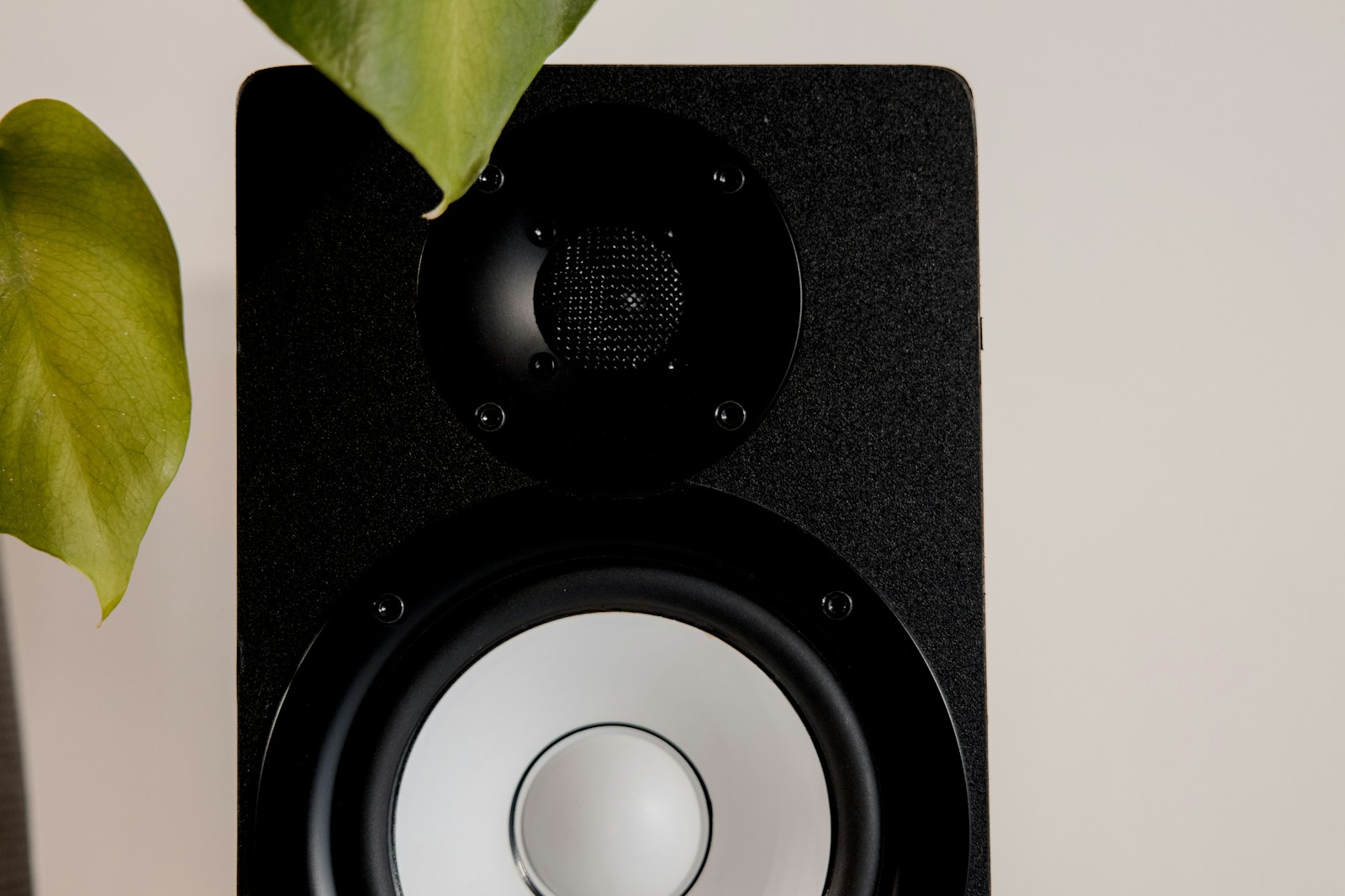
Kali Audio is a newer player, but they’ve designed the LP-6 v2 specifically for the realities of home studios. The 3D Imaging waveguide gives a wide sweet spot, and the front-firing port means you can place these close to a wall without bass artifacts. The boundary EQ setting adds further flexibility for tricky room positions.
Pros:
- Front-firing port design is ideal for small rooms with limited space
- Boundary EQ switch compensates for corner or near-wall placement; genuinely useful, not marketing fluff
- Wide sweet spot means you can move around your workspace without losing the frequency balance
- Excellent low-end extension for a 6.5-inch woofer; reaches about 40 Hz usable
Cons:
- Build quality is solid but not as refined as Yamaha or Adam; some users report slight irregularities in finish
- The midrange is slightly forward; takes a session or two to learn the reference
- Less widely available in stores for auditioning; mostly an online purchase
Best for: Home studio owners with acoustically untreated rooms, small mixing spaces, or who need flexibility in monitor placement. The LP-6 v2 is the most forgiving monitor on this list when it comes to room issues.
Check price for Kali Audio LP-6 v2
Studio Monitors Comparison Table: Specs at a Glance
Here’s a quick side-by-side so you can compare the numbers before diving deeper.
- Yamaha HS8 — 8″ woofer, 120W total, 38 Hz–30 kHz, rear port. Best for neutral reference mixing. Ideal for rooms 150–250 sq ft.
- KRK Rokit RP8 G4 — 8″ woofer, 145W total, 35 Hz–40 kHz, front port. Best for bass-heavy genres. DSP EQ onboard. Good for larger untreated rooms where low-end power is needed.
- Adam T7V — 7″ woofer, 100W total, 39 Hz–25 kHz, rear port. Best for imaging and detail. AMT tweeter. Good for engineer-leaning mixing spaces.
- JBL 305P MkII — 5″ woofer, 82W total, 49 Hz–20 kHz, rear port. Best for tight budgets and tiny rooms. Excellent off-axis response.
- Kali Audio LP-6 v2 — 6.5″ woofer, 80W total, 39 Hz–25 kHz, front port. Best for untreated rooms and tricky placements. Boundary EQ is a lifesaver.
Budget pick: JBL 305P MkII
Best all-rounder: Yamaha HS8
For bass lovers: KRK Rokit RP8 G4
Shopping Advice: Room Size, Monitors, and Subwoofer Strategy
Matching your monitor to your room is the single most impactful decision you’ll make. Here’s the rough rule of thumb based on practical experience.
For rooms under 120 square feet (typical bedroom): Stick to 5-inch to 6.5-inch monitors. The JBL 305P MkII or Kali LP-6 v2 are your best options. The smaller woofer means less low-frequency energy to excite room modes, which keeps your bass translation more reliable. If you want low end, add a subwoofer with a crossover you can set low — around 60–80 Hz — so the sub only handles the frequencies that are hardest to manage in small rooms.
For rooms between 120 and 200 square feet: The Adam T7V or Yamaha HS8 will work well. The 7-inch and 8-inch woofers have enough authority to deliver a usable low end without overwhelming the space. Acoustic treatment becomes more important at this size — at least bass traps in corners and panels at reflection points.
For rooms over 200 square feet: Any of the 8-inch options (HS8, RP8) will serve you well. You can consider adding a subwoofer for full-range monitoring, but only after treating the room. Without treatment, a subwoofer in an untreated room creates more problems than it solves — messy low end with uneven response depending on where you sit.
DSP room correction software like Sonarworks SoundID Reference or IK Multimedia ARC can tighten up frequency response irregularities, but they are not a substitute for proper monitor placement and basic acoustic treatment. Calibrate after placement, not before.
Buying on a Budget: Don’t Forget These Essentials
Monitors themselves are only part of the equation. If you’re stretching your budget to get a good pair, make sure you have room for the basics that protect your investment and ensure you’re hearing them as intended.
Monitor stands or isolation pads: Sitting monitors on a desk transmits vibration into the surface, muddying the low end and smearing transient detail. Foam isolation pads cost about $20 and make an immediate difference. Proper floor stands (even budget ones around $60) are even better, placing the tweeter at ear level.
Cables: XLR cables are preferred over TRS for balanced connections, reducing noise and hum over longer runs. Don’t buy ultra-cheap cables, but you don’t need gold-plated boutique cables either. A $15 to $20 quality cable per monitor is the sweet spot.
Power conditioning: Home studios often share circuits with appliances and computers. A basic surge protector or simple power conditioner can eliminate hum and protect your gear. Nothing fancy needed.
Remember: a $300 pair of monitors on proper stands with decent cables will outperform $800 monitors sitting on a resonant desk. The monitor is the star, but the supporting cast matters.
Final Verdict: Which Monitor Should You Buy?
If you need one clear recommendation, here it is:
- For pure translation and mix reliability: Yamaha HS8. It’s the industry reference for a reason. If you learn on these, you learn fast.
- For bass-heavy genres (hip-hop, EDM, trap): KRK Rokit RP8 G4. The DSP flexibility and low-end extension give you both excitement and accuracy after calibration.
- For imaging and detail (vocals, acoustic, post-production): Adam T7V. The AMT tweeter reveals depth and space that other monitors in this price range can’t match.
- For small rooms and untreated spaces: Kali Audio LP-6 v2. The boundary EQ and front port design make these the most room-friendly option.
- For tight budgets and bedroom studios: JBL 305P MkII. The off-axis response and low distortion are remarkable at this price point.
Pick the one that matches your room size and genre reality — not the one with the best marketing. Your mixes will thank you.
Compare prices on all monitors
Frequently Asked Questions
Do I need a subwoofer for my home studio monitors?
Only if your room is large (over 200 sq ft) and your monitors don’t reach below 45 Hz. In small rooms, a subwoofer creates more problems than it solves unless you have proper acoustic treatment and a crossover you can set around 60–80 Hz.
Near-field vs mid-field monitors — what’s the difference for home use?
Near-field monitors are designed for listening distances of 3 to 5 feet. Mid-field monitors are for 5 to 8 feet. For home studios, near-field is almost always the right choice unless your room is unusually large. You want the listening triangle (monitors to your head) to form an equilateral triangle with sides around 3 to 4 feet.
5-inch vs 8-inch monitors — which is best for my home studio?
Smaller rooms (under 120 sq ft) benefit from 5-inch or 6.5-inch monitors because less low-end energy means fewer room mode issues. Larger rooms (over 150 sq ft) can handle 8-inch monitors. If your room is small, don’t buy bigger monitors thinking you’ll get better bass — you’ll get a headache instead.
Do studio monitors need DSP room correction?
DSP correction (Sonarworks, ARC, Dirac) can improve the accuracy of your monitoring by compensating for frequency response issues caused by your room. It’s a useful tool, but it should be applied after correct monitor placement and basic acoustic treatment. It’s not a magic fix for a bad room.
Can I use Hi-Fi speakers as studio monitors?
Hi-Fi speakers are designed to sound pleasing, not accurate. They typically have boosted bass and rolled-off highs to make music sound more enjoyable at casual listening levels. This works against you when mixing — you’ll make EQ decisions that compensate for the speaker’s coloration, and those decisions will sound wrong on other systems. Stick with monitors designed for flat frequency response.