
Why Monitor Position Matters More Than Your Speakers
You can drop ten grand on a pair of high-end monitors, but if you place them wrong, you’ll still be making bad mix decisions. The room and the placement dictate what you hear far more than the driver size or the amplifier class. A $300 pair of monitors positioned correctly will outperform $3,000 monitors shoved into corners or set too high on a desk. It’s not hype — it’s physics.
The most common frustration in home studios is mixes that sound great in your room but fall apart everywhere else. That’s rarely the fault of the speakers. It’s almost always a placement or room interaction issue. When the listening position is off, your ears get a distorted picture of the stereo field, the bass gets exaggerated or canceled, and the midrange becomes unreliable. You start compensating in ways that ruin translation. Get the monitors right first — before any EQ, before any treatment — and you’ll save yourself weeks of rework.
The Ideal Listening Position: The Equilateral Triangle
The single most important concept in monitor placement is the equilateral triangle. Your head and each monitor should form three points of a perfect equilateral triangle. That means the distance between the two monitors equals the distance from each monitor to your ears. If your monitors are five feet apart, your ears should be five feet from each monitor. Simple in theory, but it takes real measurement to get right in practice.
This geometry ensures phase coherence and accurate stereo imaging. When both speakers arrive at your ears at the same time and at the same level (within reason), your brain can properly decode panning, depth, and width. If the triangle is off — say the monitors are too close together or too far apart — the stereo image collapses and you lose the ability to make reliable panning decisions.
Symmetry is equally critical. The monitors must be equidistant from the side walls and the listening position must be centered. Even a few inches of asymmetry will shift the phantom center and mess with your perception of stereo balance. Measure from the wall behind the speakers and from the side walls. Use a tape measure, not your eyes. Get it exact.
Setting Monitor Height and Angling for Sweet Spot
Vertical placement is often overlooked, but it’s just as important as the horizontal triangle. The tweeter should be at ear level when you’re sitting in your listening position. That means the high-frequency driver — which is directional — is aimed directly at your ears. Even slight height differences can cause treble roll-off or exaggerated sibilance because the vertical dispersion of most monitors is narrower than the horizontal.
If your monitors are too high, you’ll hear less high-frequency detail and a duller top end. If they’re too low (common with desktop placement), the desk surface creates early reflections that comb-filter the mids and smear the image. The fix is either height-adjustable monitor stands or isolation pads that tilt the monitors upward to aim the tweeter at your ears. Do not tilt them by putting foam under the rear edge unless the stands are too short — the angle should be intentional and calculated.
Toe-in refers to angling the monitors slightly inward so they point toward your listening position. A small toe-in (around 15 to 30 degrees) improves the sweet spot width and reduces the influence of side wall reflections. But don’t overdo it. Too much toe-in narrows the listening zone and creates a hole in the stereo image. A good test: sit in your mixing position and check if you can see the inside face of each monitor. If you see only the front baffle, you’re likely in the right zone. If you see the side panel of either monitor, something is off.
How to Minimize Unwanted Reflections and Boundary Interference
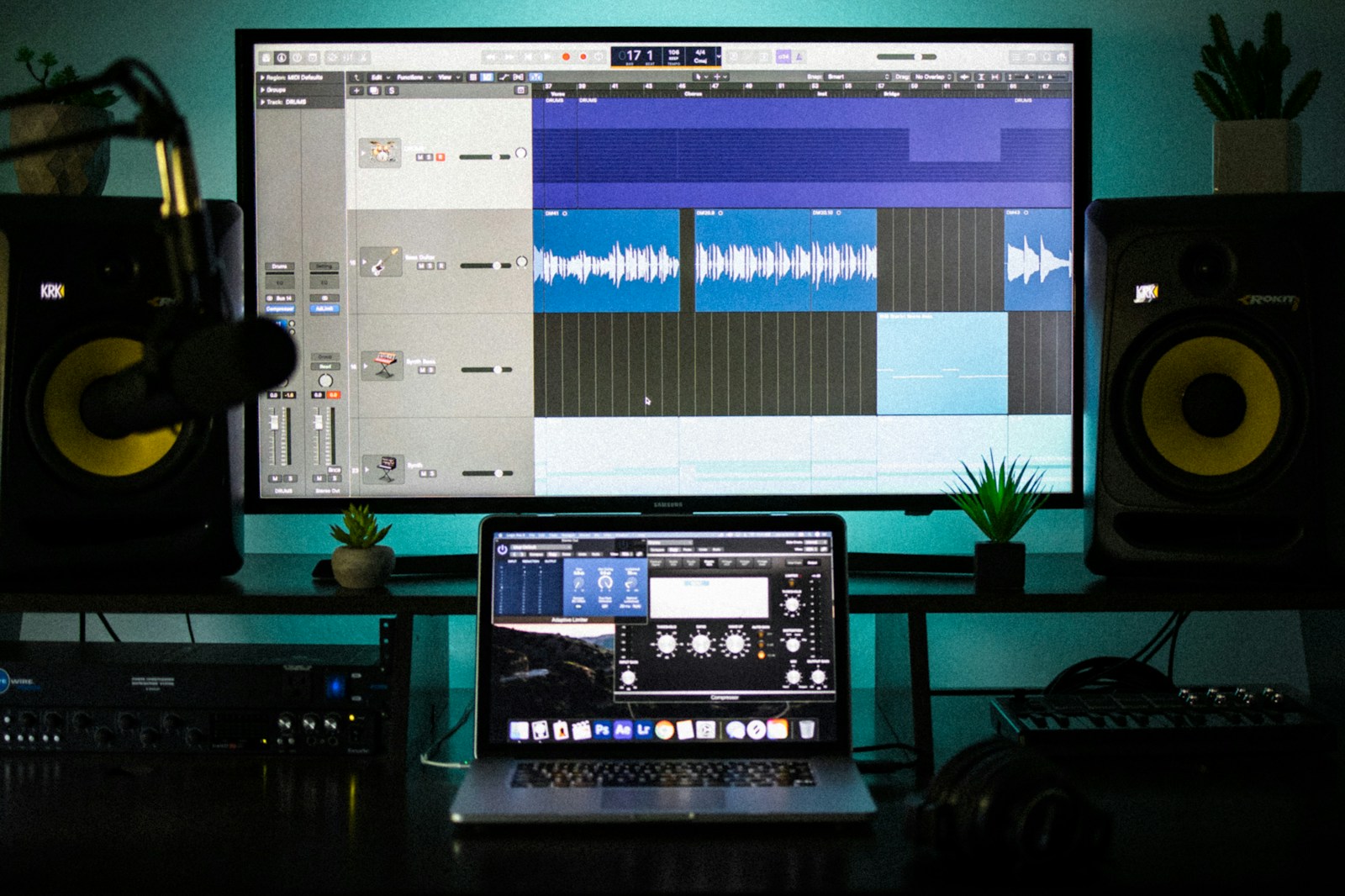
Walls and surfaces around your monitors act like mirrors for sound. The closer a monitor is to a wall, the more the low-end builds up — that’s called boundary loading. A monitor placed within a foot of the rear wall will boost the bass by as much as 6 dB in certain frequencies. It might sound punchy, but it’s deception. Your mix will come out thin and weak in other systems.
The rear wall matters most. Try to keep your monitors at least 12 to 18 inches away from the wall behind them. The further, the better, but room constraints often limit you. Even six inches helps if that’s all you have. Just know that the closer the rear wall, the more the low end will be exaggerated, and the more likely you’ll run into Speaker-Boundary Interference Response (SBIR) — cancellation notches in the low-mid range caused by reflected sound waves interfering with the direct sound.
Side walls and the ceiling also cause trouble. The classic trick for finding problematic reflection points is the mirror method: sit in your listening position and have someone slide a mirror along the side walls until you see a monitor in the mirror. That’s a first reflection point. If it’s a hard surface, you’ll get a delayed reflection that smears the image. That’s where acoustic panels belong. Same for the ceiling directly over your listening position — a cloud panel above you can eliminate a lot of ear fatigue and midrange blur.
Understanding Your Room’s Acoustics and Mode Problems
Rooms have resonant frequencies. These resonances — called room modes — cause certain bass notes to sound much louder than others and others to almost disappear. The most problematic are axial modes (between two parallel walls), which create standing waves that change the bass response dramatically depending on where you sit. Tangential and oblique modes exist too, but they’re less powerful.
You don’t need to be an acoustical engineer to deal with this, but you do need to know where the problem spots are. Tools like Room EQ Wizard (REW) let you measure your room’s frequency response using a measurement microphone. Sonarworks is another option that combines measurement with DSP correction. Even a free smartphone app with a tone generator can help you identify obvious nulls or peaks by ear.
Once you find the peaks and nulls, you can adjust your listening position slightly to minimize their impact. Moving your monitors forward or backward by as little as six inches can shift the cancellation frequencies. Experiment with small changes and remeasure. Sometimes the fix is as simple as moving your listening chair a few inches forward or back. Don’t try to fix everything with EQ — DSP correction is useful, but fixing placement first gives you a much cleaner starting point.
Step-by-Step: Positioning Your Monitors from Start to Finish
Here’s a practical workflow you can follow right now:
- Find the room center. For most setups, you want your listening position to be centered between the side walls. Measure the distance between the side walls and mark the center. Place your chair there, with your ears roughly one-third of the way into the room (if possible) to avoid the worst bass peaks.
- Set the equilateral triangle. Place your monitors so that the distance between them equals the distance from each monitor to your ears. Use a tape measure. Adjust until all three sides are within an inch of each other.
- Adjust height. The tweeters should be at ear level. If your stands or desk make this impossible, tilt the monitors using foam wedges or angled isolation pads — never tilt by leaning the speaker back on its rear edge.
- Apply moderate toe-in. Angle both monitors equally toward your listening position. Start with a 15-degree toe-in. Sit in your chair and check alignment. Adjust until you see the inside face of each monitor from your listening position.
- Check distances to walls. Ensure both monitors are the same distance from the rear wall and side walls. Move them forward if they’re too close. Use the mirror trick to find first reflection points on side walls and ceiling.
- Fine-tune with test tones. Play a track with strong bass information. Slowly move forward or backward a few inches while listening. Notice when the bass sounds most even and consistent. Lock in that position.
Common Positioning Mistakes and How to Fix Them
You’ll see these mistakes in almost every home studio. Here’s how to recognize and fix them:
Monitors too close to the rear wall. Result: bloated bass, unpredictable low end. Fix: move the monitors at least 12 inches forward. This one fix changes everything.
Desktop reflections. Result: comb-filtered mids and a muddy stereo image. Fix: use monitor stands to decouple the speakers from the desk, or at least use thick isolation pads to reduce the surface reflections.
Asymmetrical setup. Result: off-center phantom image and unreliable panning. Fix: measure distances to side walls and rear walls. Make them identical for both monitors.
Too much toe-in. Result: narrow sweet spot and a hole in the center of the stereo. Fix: back off the toe-in to 15 degrees or less. The monitors should barely point inward.
Monitors on their sides. Result: vertical dispersion pattern rotates, causing midrange smearing at ear level. Fix: keep monitors upright unless the manufacturer explicitly designed them for horizontal placement (some are).
Untreated first reflections. Result: excessive early reflections that kill clarity and depth. Fix: place absorption panels at the mirror points on side walls and ceiling.
Calibrating Your Monitors: Level Matching and Sub Integration
Once positioning is set, you should calibrate your monitoring level. A standard calibration level for mixing is 85 dB SPL (C-weighted, slow response) measured at your listening position. This is the level at which your ears have relatively flat frequency response — louder and your ears add natural distortion, quieter and the bass drops off due to the Fletcher-Munson curves.
To calibrate, generate pink noise (many DAWs have this built-in or you can use a free tone generator) at -20 dBFS RMS from your DAW. Set your monitor volume to the level that produces 83-85 dB SPL at the listening position. Mark that volume knob position with tape or a memory marker. Now you always know what level to mix at. This consistency alone will improve your mix translation.
If you’re integrating a subwoofer, things get trickier. Start by placing the sub near your listening position — literally put it in your chair — then crawl around the room or walk the walls to find where the bass sounds most even. That’s where the sub goes. Alternatively, some subs include a phase control. Adjust it while playing a tone at the crossover frequency (usually 80 Hz) to find the position where the bass sounds fullest and most coherent. A sub placed in a corner will produce more bass but also more room modes. A sub near the front wall but not in the corner is a good compromise for most small rooms.
Final Checks: Listening Tests to Verify Your Setup
Before you commit to your new monitor position, run a few listening tests with material you know well. Use tracks you’ve heard on good headphones, in your car, and ideally on a reference system. The goal is to confirm that your room is giving you honest information.
Mono compatibility. Sum your mix to mono. If the stereo image collapses into a muddy mess, your monitors might be too far apart or your triangle is off. Good placement should sound clear in mono, even if narrower.
Bass consistency. Play a track with descending bass notes. Listen for any notes that jump out or disappear. If you hear obvious unevenness, move your listening position forward or backward a few inches and listen again. Find the spot where bass feels most even.
Stereo field and depth. Listen to a well-mixed track with clear width and depth (something like a modern jazz trio or a carefully panned pop mix). Close your eyes and try to locate each instrument in the stereo field. If everything sounds stacked in the center or the left-right balance feels wrong, your triangle or symmetry needs adjustment.
Tonal balance. Listen for a natural, uncolored representation of the track. If vocals sound boxy, the low mids might be exaggerated (likely a reflection or boundary issue). If the highs feel harsh, your tweeter might be too high or low. If things sound dull, you may be outside the sweet spot vertically.
Don’t skip this step. No measurement software replaces your ears and your experience with reference material. Listen for 15 minutes, then make small adjustments, then listen again. The goal is neutrality — the room should disappear and you should just hear the music.
Frequently Asked Questions About Studio Monitor Position
What’s the difference between nearfield and mid/farfield positioning?
Nearfield monitors are designed to be placed relatively close to your ears — usually 2 to 5 feet — so the direct sound dominates over the room acoustics. This makes them ideal for small rooms where you can’t treat the entire space. Midfield or farfield monitors sit further away and are more influenced by the room, requiring proper treatment and calibration. Most home studios use nearfield monitors, and that’s the right call unless you have a professionally treated room.
Can I place monitors on my desk if I can’t afford stands?
You can, but you’ll struggle with reflections and vibrations. If desks are unavoidable, use thick isolation pads or foam wedges to decouple the monitors from the desk surface. Place them as far back as possible without hitting the wall. The ideal solution is stands, but if budget is tight, do what you can to minimize the desk surface contributing reflections.
Is it okay to place monitors on their sides?
Only if the manufacturer specifically says it’s okay. Most two-way monitors are designed with the tweeter and woofer vertically aligned. When you rotate them horizontally, the stereo image’s vertical dispersion rotates, which creates comb filtering at your ear height. Some coaxial or three-way monitors handle horizontal placement better, but in general, keep them upright.
Should I use room treatment before optimizing placement?
No. Optimize placement first, then add treatment. There’s no point in treating a room if your monitors aren’t in the right position to begin with. The treatment is there to solve specific problems — first reflections, flutter echo, bass trapping — and you can only identify those problems once your monitors are correctly positioned.
How do I position a subwoofer in a small room?
Start by putting the sub in your listening position and crawling around the room to find the spot where bass sounds most even. That’s the best position for your sub. In a small room, corner placement often overloads the low end, so try placing the sub near the front wall but in the center instead of the corner. Adjust the crossover and phase until it integrates smoothly with your mains.
Can I fix bad placement with DSP calibration?
DSP tools like Sonarworks can correct frequency response irregularities, but they can’t fix timing issues caused by reflections or bad positioning. Always optimize placement first. Then use DSP to handle the remaining tonal imbalances. If you rely entirely on DSP without fixing placement, you’ll still have phase issues and a compromised stereo image.