
Why Monitor Placement Matters for Your Mixes
You can buy the most expensive monitors on the market, but if you place them poorly, your mixes will translate like a car radio in a tunnel. Nearfield monitoring is only as reliable as the geometry between your speakers, your ears, and your room. Bad placement introduces frequency masking, phase cancellation, and an unreliable stereo image that tricks you into making bad mix decisions. You’ll overcompensate bass that’s actually fine, or carve out mids that disappear when you play the track elsewhere. A systematic approach to monitor placement—using a chart, measuring distances, and respecting your room’s boundaries—removes guesswork. This guide gives you the exact measurements, angles, and steps to build a monitoring setup you can trust. No magic, just geometry.
The Studio Monitor Placement Chart (Quick Reference)
Below is a clean, printable reference for the most common nearfield monitor configurations. These measurements assume a symmetrical listening position and a room that is not a perfect square. Use this chart as your starting point, then fine-tune with your ears or a measurement mic.
- Stereo triangle distance (tweeter to tweeter): 3 to 5 feet (0.9–1.5 meters)
- Listening distance (tweeter to ear): Same as tweeter-to-tweeter distance (equilateral triangle)
- Monitor height (tweeter at ear level): Typically 47–55 inches from floor, depending on seated height
- Distance from rear wall (to rear of monitor): Minimum 1–2 feet (0.3–0.6 meters); ideal 3+ feet
- Distance from side walls (to center of monitor): Minimum 2–3 feet (0.6–0.9 meters)
- Toe-in angle: 15–30 degrees toward listening position
- Monitor tilt (vertical): 0 degrees (no tilt) unless ear level cannot be achieved
- Listening position from front wall: 38% of room length from the front wall (room mode theory)
Keep this chart visible in your studio. It saves time during every setup change.
Setting Up the Stereo Triangle
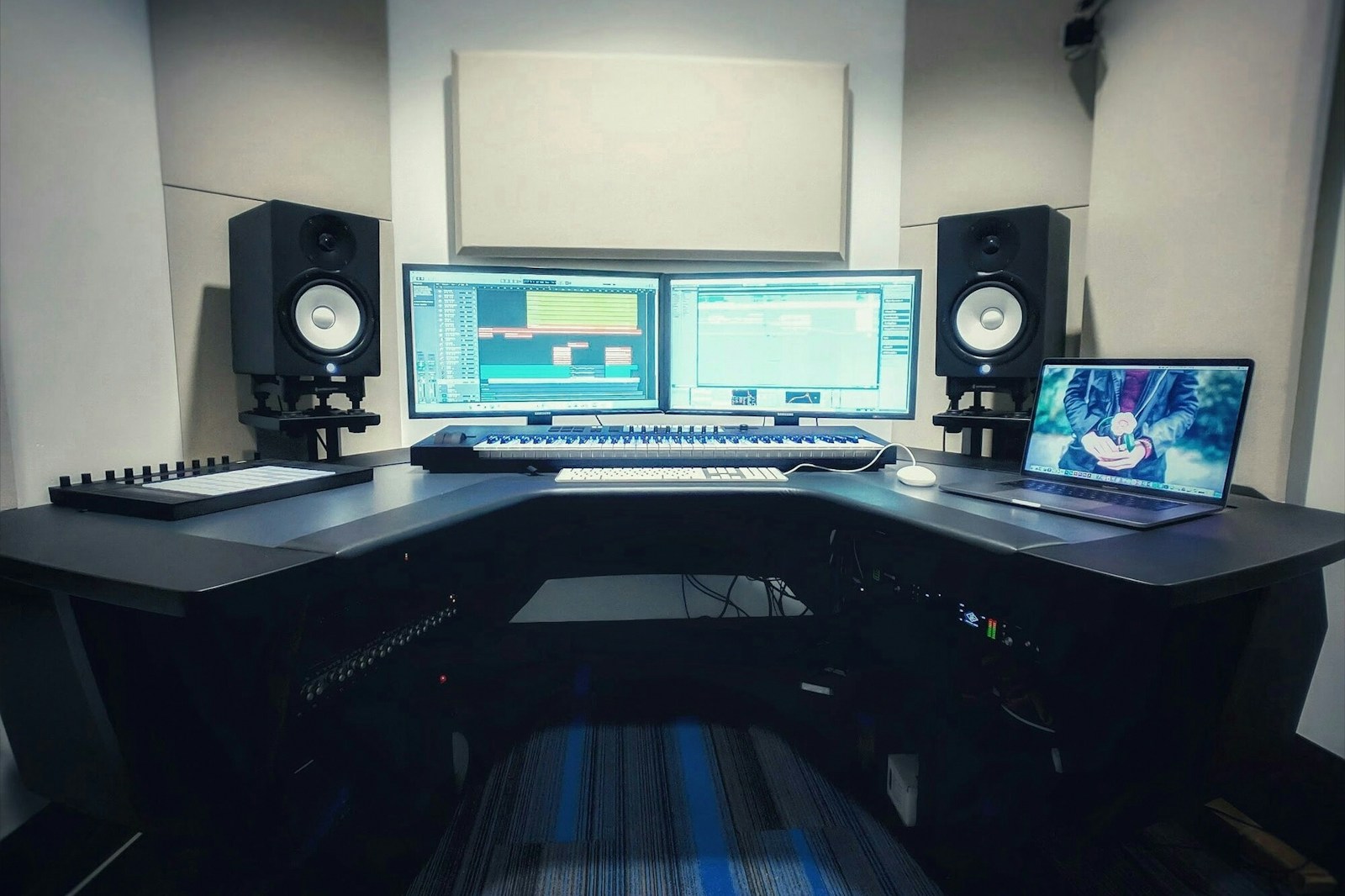
The equilateral triangle is the foundation of accurate monitoring. Measure the distance between the centers of your two monitor tweeters. That same distance should exist from each tweeter to your listening position (your ears). In a typical small to medium project studio, this distance falls between 3 and 5 feet. If your room is narrow, you can work at the shorter end, but avoid going under 3 feet unless you’re on a nearfield desktop setup designed for close-range listening.
Step-by-step:
1. Mark the center point between your two monitors on the wall or desk.
2. Measure an equal distance from that center point to each tweeter.
3. Sit so your head is at the same distance from each tweeter as the tweeters are from each other.
4. Use a tape measure, not your eyes. Even a few inches off can shift the stereo center.
If your desk or console forces a different listening distance, adjust the monitor spacing to match. Compromising the equilateral geometry damages panning accuracy and phantom center focus.
Finding the Correct Monitor Height and Ear Level
The tweeter should be at the same height as your ears when you are in your normal listening posture. For most seated mixing positions, this is roughly 47 to 55 inches from the floor. If your monitors sit on a desk or console that puts the tweeter lower than your ears, use monitor stands or isolation pads with tilt to raise them. Avoid tilting monitors downward unless absolutely necessary, because vertical tilt changes the phase relationship between the woofer and tweeter at the listening position.
If you use a standing desk, adjust the monitor stands so that the tweeters remain at ear level when you stand. The angle of your neck should be neutral, not looking up or down. Any vertical offset introduces frequency response errors in the crossover region.
Avoiding Boundary Effects: Distance from Walls and Corners
Walls and corners act like acoustic mirrors and amplifiers. A monitor placed too close to a rear wall will excite room modes and create uneven bass buildup. The same thing happens if the monitor is shoved into a corner—low frequencies double in amplitude, fooling you into thinking you have more bass than you actually do.
Minimum clearance recommendations:
- Rear of monitor to rear wall: at least 1–2 feet. More is better.
- Side of monitor to side wall: at least 2–3 feet.
- Distance from room corners: avoid placing monitors within 3 feet of any corner.
- If your room is small and you can’t achieve these distances, consider bass traps behind the monitors to absorb boundary buildup.
Check your low end by playing a sine wave sweep. If certain frequencies sound noticeably louder or softer, boundaries are likely the culprit. Move the monitors forward or backward a few inches at a time and retest.
Toe-In Angle: How Much Is Too Much?
Toe-in refers to angling your monitors horizontally so they point slightly inward toward your listening position. This focuses the high frequencies and sharpens the stereo image. The typical range is 15 to 30 degrees. Start at 20 degrees and adjust from there.
How to check for proper toe-in:
Play a mono signal (center-panned vocals or a bass line) and listen to the phantom center. If the center sounds smeared or wobbly when you move your head side to side, the toe-in is too aggressive. If the center lacks focus, you might need a bit more angle.
Another test: sit slightly off-axis (move your head a few inches left or right). If the stereo image collapses dramatically, the toe-in is too narrow. Adjust in small increments, 2 to 3 degrees at a time, until the sweet spot feels stable.
Monitor Isolation and Decoupling
Desk and floor vibrations muddy low-end clarity. Your monitors should not physically shake your workspace. Decoupling breaks that mechanical path.
Practical options:
- Foam isolation pads: Affordable and effective for smaller monitors. Place them under each monitor to absorb vibrations.
- Monitor stands: Better than desk placement because stands isolate the monitors from the desk surface and raise them to ear level. Fill hollow stands with sand or lead shot for mass damping.
- Wall mounts with decoupling: Useful if floor space is tight. Use mounts that include rubber or spring isolators to avoid transferring vibrations into the wall.
- Hard coupling (advanced): Some high-end studios hard-couple heavy monitors to the floor using spikes or concrete blocks. This is for very heavy monitors (>50 lbs) in treated rooms. Not necessary for most project studios.
Whichever method you choose, the goal is the same: no rattles, no desk resonance, and clear low end.
Acoustic Room Setup Basics for Monitor Placement
Monitor placement and room treatment work together. You can’t solve a bad placement with treatment alone, and you can’t bypass acoustics with perfect geometry. Focus on these three areas that directly affect your monitors:
- First reflection points: Place absorption panels on the left and right walls at the spot where the sound from your monitors reflects to your ears. This cleans up stereo imaging and reduces comb filtering.
- Desk reflections: If your desk is reflective (most are), place a small absorption panel or a thick rug on the center of the desk between you and the monitors. This stops early reflections that mess with the phantom center.
- Rear wall behind you: Diffusion or absorption on the wall behind your listening position prevents slap echoes and phase cancellations that affect the high end.
These treatments are not optional if you want reliable monitors. Even a few panels make a noticeable difference.
Using a Measurement Mic to Verify Your Setup
Your ears are good, but a measurement microphone is better for spotting frequency response issues and room modes. Software like Room EQ Wizard (free) or Sonarworks (paid) lets you take a reading at the listening position and compare it to a flat target.
Quick verification process:
1. Place the measurement mic at ear level, pointing upward, at the listening position.
2. Run a sine sweep or pink noise test.
3. Look at the frequency response graph. You should see a relatively smooth line, not huge peaks or dips.
4. If there is a large dip around 100–200 Hz, you might have a boundary cancellation (move the monitors forward or backward). A peak in the bass region often means rear wall proximity.
Use the measurement to confirm that the theoretical chart values are working in your specific room. Adjust distances and toe-in by small amounts, then re-measure. The goal is not a perfectly flat line (that’s rare in real rooms), but a response that is consistent and predictable.
Common Placement Mistakes and How to Fix Them
- Monitors too wide: If the tweeter-to-tweeter distance exceeds your listening distance by more than 10%, you lose phantom center focus. Narrow the spread to match your listening distance.
- Monitors too close to the front wall: Boomy, unclear bass with uneven response. Move them at least 1–2 feet forward.
- Toe-in too aggressive: Causes a narrow sweet spot and exaggerated high frequencies. Reduce angle to 20 degrees or less.
- Listening position too close to the rear wall: Creates a bass pressure zone that makes the low end sound hyped. Move your chair forward until the bass sounds balanced.
- Monitors at different heights: One tweeter higher than the other breaks the stereo image and phase coherence. Use a level to check.
- Using a desk as a giant reflector: Mixing on a bare, glossy desk causes comb filtering and smeared imaging. Cover it with a mouse pad or absorption.
- No isolation pads under monitors: The desk becomes a subwoofer, adding fake low end. Add pads or stands.
Fix these one at a time, testing after each change. Don’t attempt all adjustments at once or you won’t know what solved the problem.
Monitor Placement for Different Room Sizes
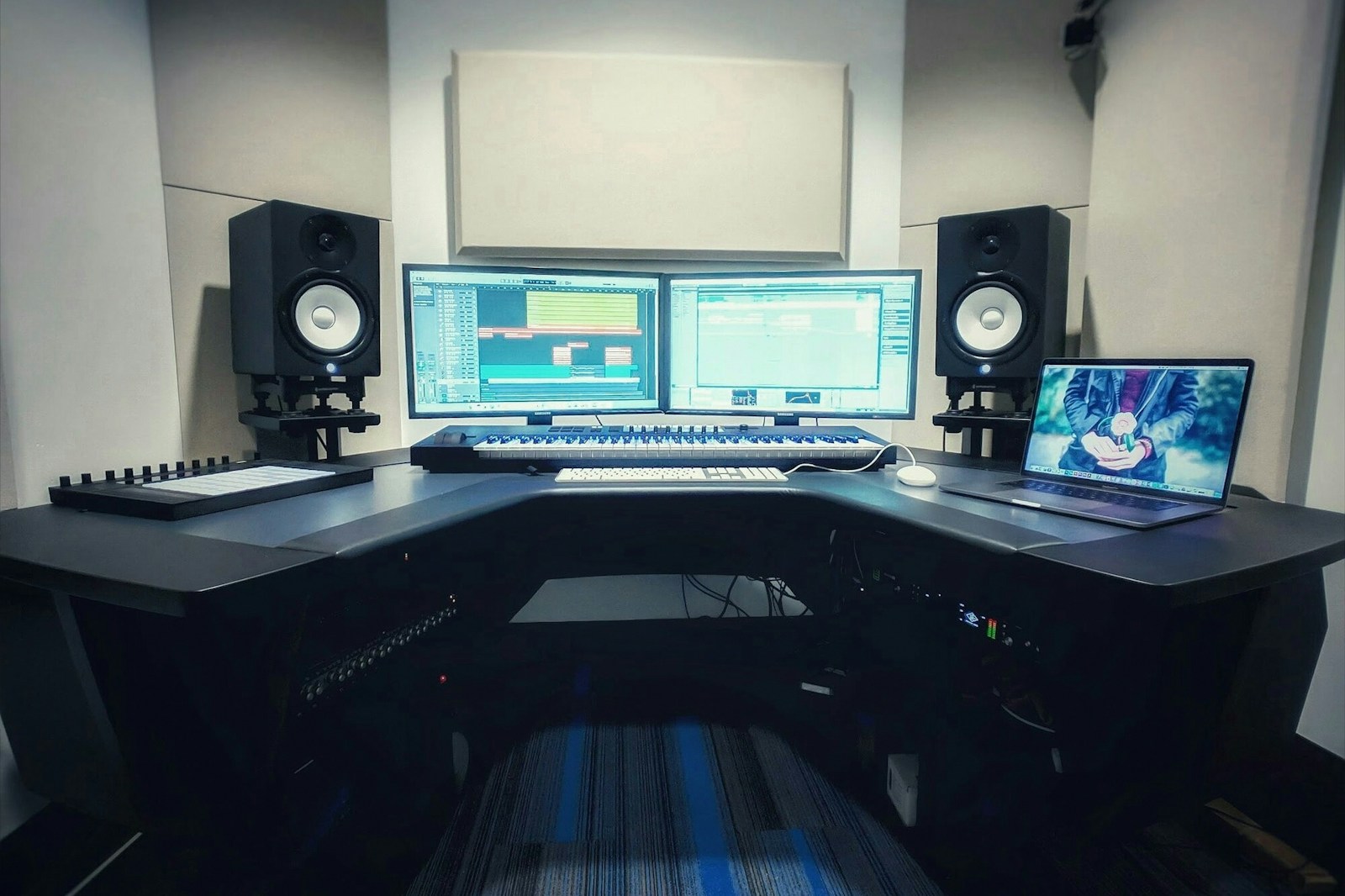
Not every room allows ideal placement. Here are realistic adjustments for common spaces:
Small bedroom studio (10×10 feet or smaller):
- Stereo triangle distance: 3 feet (compact, but workable)
- Distance from rear wall: Minimum 1 foot. Use bass traps behind monitors.
- Toe-in: 25–30 degrees to widen the sweet spot in a small space.
- Listening position: As close to 38% of room length from the front wall as possible.
Medium project studio (12×15 to 14×20 feet):
- Stereo triangle distance: 4–5 feet
- Distance from rear wall: 2–3 feet
- Toe-in: 15–20 degrees
- Listening position: 38% rule works well. Use first reflection point absorption.
Large control room (20×25 feet or larger):
- Stereo triangle distance: 5–6 feet (or more, if monitors are large)
- Distance from rear wall: 3–5 feet
- Toe-in: 15 degrees or less
- Listening position: Usually in the middle of the room’s width, 38% from the front wall. Use diffusion on the rear wall.
Final Checklist: Setting Up Your Monitors in 15 Minutes
Print this checklist and run through it every time you reposition your monitors.
- Set up the stereo triangle: Measure tweeter-to-tweeter distance equal to tweeter-to-ear distance.
- Check monitor height: Tweeters at ear level. Use stands or pads if needed.
- Verify rear wall clearance: Minimum 1–2 feet behind monitors.
- Check side wall clearance: Minimum 2–3 feet from side walls.
- Set toe-in angle: Start at 20 degrees and adjust for stable center image.
- Add isolation pads or stands: Decouple monitors from surfaces.
- Place basic absorption: First reflection points, desk center, and rear wall behind you.
- Run a mono test: Verify phantom center focus and lack of smearing.
- Play a bass sweep: Listen for uneven low end. Adjust monitor distance from rear wall if necessary.
- Optionally measure with a mic: Verify placement and identify room modes.
That’s it. Fifteen minutes of geometry and you will hear your mixes more clearly than ever. Your studio monitor placement chart is now your reference. Keep it close.