
Introduction
Your DJ controller is the most important piece of gear you own. Whether you’re mixing in a bedroom, playing mobile gigs, or just starting out, keeping that controller in good shape directly affects your performance and your wallet. This article covers the essential DJ controller maintenance tips you need to know — from basic cleaning to troubleshooting common issues that send gear to the shop prematurely.
I’ve seen too many controllers die young because of neglect. Sticky faders, unresponsive pads, crackling knobs — most of these are avoidable with ten minutes of care every few weeks. A $600 controller that lasts five years instead of eighteen months isn’t luck. It’s maintenance. This guide is for anyone who wants their gear to perform reliably and last longer without spending on repairs they could have prevented.
Why Regular Maintenance Matters More Than You Think
Here’s the thing: your controller is a precision instrument living in a hostile environment. Dust, sweat, drink spills, and temperature changes work against it every time you use it. Neglect doesn’t cause sudden failure — it causes gradual degradation that might not be noticeable until mid-set.
Think about what happens when that degradation hits. A crossfader starts crackling during a transition. A pad stops responding when you’re trying to cue a track. A USB port gets loose and your controller disconnects mid-gig. These aren’t hypothetical problems. They’re the most common reasons controllers end up in repair shops or on eBay as “for parts.”
Your controller is likely a $500 to $2000 investment. Treating it like a cheap peripheral is a mistake. Regular cleaning and inspection can double its usable life. That’s not marketing hype — it’s the difference between replacing gear every two years versus every five or more. For mobile DJs who rely on their gear for income, downtime from a failed controller means lost gigs and reputation damage. Maintenance isn’t optional. It’s part of the job.
The Essentials: What You Need to Clean Your DJ Controller
Before you start cleaning, get the right tools. Using the wrong stuff will damage your gear. Here’s what you actually need:
- Isopropyl alcohol (90% or higher) — This evaporates quickly and leaves no residue. Avoid lower concentrations — they contain more water and can cause damage. Never use rubbing alcohol from the grocery store without checking the percentage.
- Microfiber cloths — Soft, lint-free, and safe for electronics. Paper towels scratch surfaces and leave fibers behind.
- Compressed air — For blowing debris out of fader slots, jog wheel gaps, and USB ports. Get the kind with a straw attachment for precision.
- Cotton swabs — Standard Q-tips work fine. The pointed ones work well for tight spaces around knobs and pads.
- Small screwdrivers — A precision screwdriver set with Phillips and flathead bits. You’ll need these to open the controller or remove knob caps.
- Optional: Fader oil or lubricant — Products like DeoxIT F5 or specific fader grease. Only use these on open faders — sealed faders don’t need lubrication and can be damaged by it.
What to avoid at all costs: Water, Windex, Lysol wipes, household cleaners, and WD-40. These leave residue, cause corrosion, or damage plastic and rubber components. Stick to isopropyl alcohol for cleaning electronics.
You can find quality microfiber cloths and isopropyl alcohol on Amazon for under ten dollars total. A can of compressed air runs about the same. These few items will cover 95% of your maintenance needs.
How to Clean Your DJ Controller (Step by Step)
This process takes about 15 minutes and should become a monthly habit if you use your controller regularly. Here’s the right way to do it:
- Power down and disconnect everything. Unplug the USB cable, power adapter, and any audio connections. Never clean a powered-on controller.
- Remove knob caps and pad covers if possible. Most knob caps pull straight off with gentle upward pressure. Some controllers have screw-on caps — check your manual. Removing these gives you access to the shaft and surrounding surface.
- Use compressed air for loose debris. Blow out fader slots, jog wheel gaps, pad edges, and USB ports. Hold the can upright and use short bursts. Tilting it at an extreme angle can release moisture — don’t do that.
- Lightly dampen a microfiber cloth with isopropyl alcohol. The cloth should be barely damp, not wet. Wipe down all surfaces: the top panel, jog wheels, pads, fader caps, and knob surfaces. Avoid letting liquid drip into any openings.
- Use cotton swabs for tight spaces. Dip the swab in alcohol and squeeze off excess. Clean around fader stems, between pad gaps, and along touch strips. For crossfader curve slots, run the swab along the channel to remove built-up grime.
- Let everything dry completely before reassembling. Alcohol evaporates fast, but give it five minutes to be safe. Reinstall knob caps and pad covers only after the surface is dry.
- Test all controls. Power up, open your DJ software, and cycle through every pad, fader, knob, and jog wheel. Most issues that disappear after cleaning will show immediate improvement.
The most common beginner mistake is using too much liquid. A few drops on a cloth is plenty. Dripping alcohol into fader slots or pads can push dirt deeper and potentially damage internal contacts. Less is genuinely more when cleaning electronics.
Fader and Crossfader Care: Avoiding Drift and Noise
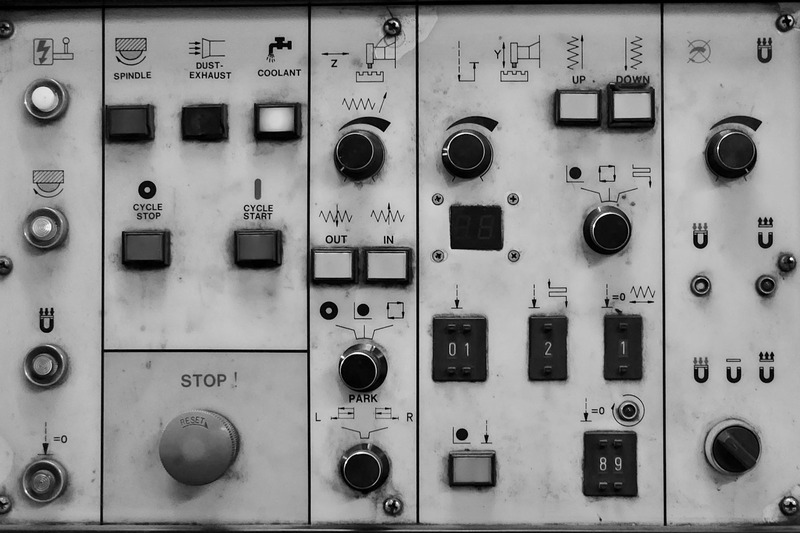
Faders are the most mechanically stressed components on any controller. Every time you fade between tracks or adjust a channel volume, you’re sliding a contact across a resistive strip. Over time, dust and grime build up on that strip, causing crackling sounds, uneven volume changes, or complete failure.
Open faders vs. sealed faders: Many budget and mid-range controllers use open faders where the resistive strip is exposed. These collect dust faster but can be cleaned and lubricated. Higher-end controllers and mixers often use sealed faders that are virtually maintenance-free but cannot be serviced — they get replaced when they fail.
For open faders, cleaning is straightforward. Use a cotton swab lightly dampened with alcohol to wipe the exposed strip. Let it dry, then apply a tiny amount of DeoxIT F5 fader lubricant. A single drop on each fader is sufficient. Slide the fader back and forth a few times to distribute the lubricant evenly.
The mistake to avoid is over-lubrication. Too much lubricant attracts more dust, turning a smooth fader into a sticky mess within weeks. If your fader feels smooth and quiet already, don’t add lubricant. Only lubricate when you hear crackling or feel roughness.
Some controllers allow individual fader replacement — Pioneer DDJ-series and many Numark controllers use standard form factor faders that cost $5–$15 each. If cleaning doesn’t fix a noisy or unresponsive fader, replacement is the next step. Check your specific model before assuming you can swap them.
Jog Wheel and Platter Maintenance: Smooth Operator
Jog wheels have two distinct maintenance concerns: the physical moving parts and the capacitive touch sensors on top.
Mechanical jogs — common on Pioneer DDJ controllers and similar — have a rotating platter with a center shaft. Dust can accumulate around the shaft, causing friction and rough rotation. Use compressed air around the platter edge and a dry microfiber cloth on the top surface. Avoid getting alcohol near the touch sensor — it can damage the coating.
Touch sensitivity cleaning: If your jog wheel top becomes unresponsive or requires more pressure than usual, the capacitive sensor surface likely needs cleaning. Use a microfiber cloth with a tiny amount of water — not alcohol — and wipe the top surface gently. Dry immediately with a separate cloth. Test in your software after.
Touch strips — found on controllers like the DDJ-SX or some Numark models — require a different approach. Use an alcohol-dampened cloth, wipe the strip in one direction, and let it air dry. Don’t rub back and forth aggressively — you can damage the strip’s surface over time.
Motorized platters on Rane, Denon, and high-end Pioneer gear have additional mechanical complexity. These are best serviced by professionals unless you’re experienced with the internals. Stick to surface cleaning and compressed air for the gaps on these.
Pad Maintenance: Keeping Pads Responsive
Performance pads take a beating. Thousands of presses, combined with sweat and oils from your fingers, cause them to lose sensitivity over time. The rubber or silicone surface can also become sticky or tacky, especially in humid environments.
Start with a dry microfiber cloth. Wipe each pad individually to remove surface oils. If that doesn’t restore responsiveness, use a cloth lightly dampened with alcohol and wipe the pad surface. Avoid saturating the pads — liquid can seep under the rubber and affect the contact switch below.
If pads are still acting up after surface cleaning, the issue is likely the rubber contact points underneath. This requires opening the controller. Remove the pad caps or the top panel, exposing the circular rubber domes beneath each pad. Wipe each dome and the circuit board contact with alcohol on a cotton swab. Let dry completely before reassembling.
Pad bleed — where pressing one pad triggers an adjacent pad — is almost always caused by dirt or moisture bridging the contacts. Cleaning the contact points usually resolves this. If it doesn’t, the board may have a short or damaged trace, which is a repair shop situation.
Check pad sensitivity in your software using a MIDI monitor tool. Most DJ software has a built-in MIDI test mode or you can download standalone utilities. This helps identify which specific pads are problematic versus ones that just feel different.
USB Ports and Connection: The Weakest Link
USB ports are the single most common failure point on modern DJ controllers. A loose port, bent pin, or intermittent disconnect can happen suddenly and there’s no easy field fix.
The problem is mechanical stress. USB cables get yanked when someone trips over them, when you pack up in a hurry, or when the controller shifts during transport. The port itself is soldered to the circuit board, and repeated stress weakens those solder joints. Eventually, the port wiggles and the connection becomes unreliable.
Prevention is everything here:
- Use right-angle USB cables. They route along the controller’s back panel instead of sticking straight out, reducing lever force on the port.
- Support the cable near the port with a cable tie or velcro strap to the controller’s chassis.
- Never yank the cable from the port — pull from the plug body.
- If you gig regularly, carry a spare USB cable. Port failure is rare, but cable failure is common.
For cleaning USB ports, use compressed air to blow out dust and debris. If the connection feels loose, inspect the port visually. Bent pins can sometimes be straightened with a toothpick, but this requires a steady hand and good eyesight. If the port is physically damaged or the solder joints are broken, you’re looking at a motherboard replacement — often $100–$200 on mid-range controllers and not worth doing on budget models.
This is why cable management matters. Protecting your USB port isn’t exciting maintenance, but it’s the single most cost-effective habit you can develop.
Storing and Transporting Your Controller
Where and how you store your controller between uses has a bigger impact on longevity than any cleaning routine.
Temperature and humidity: Keep your controller in a cool, dry place. Avoid garages, basements with moisture issues, car trunks in summer, and direct sunlight. Extreme temperatures warp plastic, dry out rubber pads, and accelerate solder joint fatigue. If you carry gear in your car during hot months, bring the controller inside when you arrive.
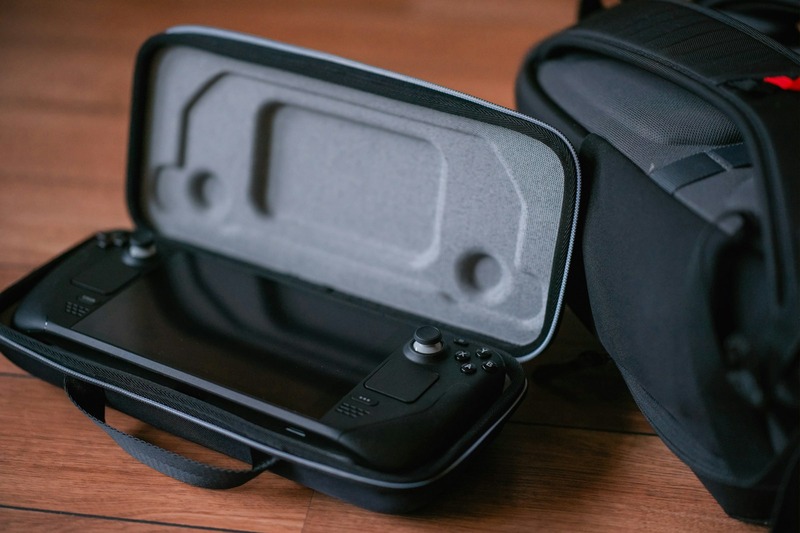
Cases matter. For mobile DJs who transport gear weekly, a padded flight case is worth the investment. Odyssey and Gator make reliable options for most controllers. A hard case with foam inserts protects against drops and crushing — soft bags are okay for casual transport but don’t offer the same protection. If you gig more than once a month, budget for a proper case. Traveling frequently can make a hard flight case for your DJ controller a sound investment.
Storage position: Store your controller flat, not on its side. Standing it upright puts stress on faders and jog wheel bearings over time. If you’re short on space, a padded laptop bag or dedicated controller bag works, just keep it flat.
Keep liquids away. This sounds obvious, but a single drink spill is the most common cause of total controller death. If you’re playing gigs with drinks nearby, consider a controller stand that positions the gear above drink level. And never set a drink on the same surface as your controller.
Common Maintenance Mistakes to Avoid
Knowing what not to do is as important as knowing what to do. Here are the most frequent errors I’ve seen:
- Household cleaners: Windex, Lysol, and all-purpose cleaners leave residue that attracts more dust. They also contain chemicals that can damage plastic and rubber. Stick to isopropyl alcohol.
- Oversaturating cloths: Liquid running into fader slots, under pads, or into USB ports causes short circuits and corrosion. Your cloth should be damp, not wet.
- Paper towels: They scratch acrylic and plastic surfaces. Microfiber or soft cotton cloths only.
- Cleaning while powered on: This is how you short something out. Always disconnect power and USB before cleaning.
- Forcing faders: If a fader feels stuck, don’t force it. Forcing can damage the resistive strip or break the fader assembly. Clean it properly first.
- Ignoring firmware updates: Manufacturers occasionally release firmware updates that fix bugs affecting pad sensitivity, jog wheel response, or USB stability. Check for updates every few months.
- Compressed air misuse: Spraying compressed air at extreme angles or holding the can upside down releases moisture. Keep the can upright and use short bursts.
Avoiding these mistakes will keep your controller in better shape than most DJs’ gear. It’s not complicated — just a matter of knowing what’s safe and what isn’t.
When to DIY vs. When to Send It In for Repair
Not every problem is fixable at home. Here’s a practical framework for deciding when to open your controller and when to call a pro:
DIY always: Surface cleaning, fader and pad cleaning, knob cap replacement, cable replacement, and firmware updates. These are low-risk tasks that require only basic tools.
DIY if you’re comfortable: Fader replacement on open-fader controllers. Opening the case to clean pad contacts or reseat ribbon cables. Replacing a power jack if you have soldering experience. These tasks require basic electronics knowledge and a steady hand. A precision screwdriver set for electronics is worth having on hand if you plan to perform these tasks.
Send it in: USB port repair (surface-mount soldering is tricky), motherboard replacement, motorized platter issues, and any problem involving the main circuit board. Attempting these without proper equipment and experience often makes things worse.
Repair costs to expect: A professional cleaning runs $50–$100. Simple repairs like fader replacement are $50–$150 including parts. Major repairs like USB port or board replacement are $100–$300. Before authorizing any repair, get a quote and compare it to the replacement cost of your controller — for budget controllers under $300, replacement is often cheaper.
Warranty considerations: If your controller is still under warranty, sending it to the manufacturer for any issue is the safest bet. Opening the case yourself voids most warranties. Check your warranty terms before doing any DIY repair that requires disassembly.
Final Thoughts: Extending the Life of Your DJ Controller
Regular cleaning, gentle handling, and smart storage will keep your controller responsive and reliable for years. These DJ controller maintenance tips aren’t complicated or time-consuming — they’re just habits that most DJs don’t bother developing until after their first controller dies on them.
Spend fifteen minutes once a month cleaning your gear. Use the right tools. Protect your USB port. Store it properly. And know when to call a professional instead of making things worse. Your next controller will thank you, and your wallet will too.
If you’re setting up a maintenance kit for the first time, the cleaning supplies and tools mentioned here — microfiber cloths, isopropyl alcohol, compressed air, and a good case — are worth picking up. They cost less than a single repair visit and will keep your gear performing at its best.